
How to route orders by size, or split one order between providers
16 de noviembre de 2026

Marcus Reed
Head of Storefront Operations
The cheapest provider for 100 is rarely the best one for 50,000. Send small and big orders to different providers from one service, or split a single order. Video and screenshots.
Prefer to watch? The video covers everything below in about a minute and a half.
The problem
Providers are not good at everything. One is cheap and quick on a few hundred followers and crawls on fifty thousand; another only makes sense on big orders. With one provider per service you choose once for every order size, and give up either margin on the small orders or speed on the big ones.
What the panel does
A service's forwarding rule can hold several rules, checked from the top. Each one says when it applies and how to send. The first rule that fits an order takes it; a last rule, every other order, catches the rest. That gives you two tools:
- Route by size: a rule that applies only to a quantity range, with its own provider.
- Split one order: several parts, each a fixed amount, a percentage or "whatever is left", each with its own provider.
Route by size
1. Open the forwarding rule
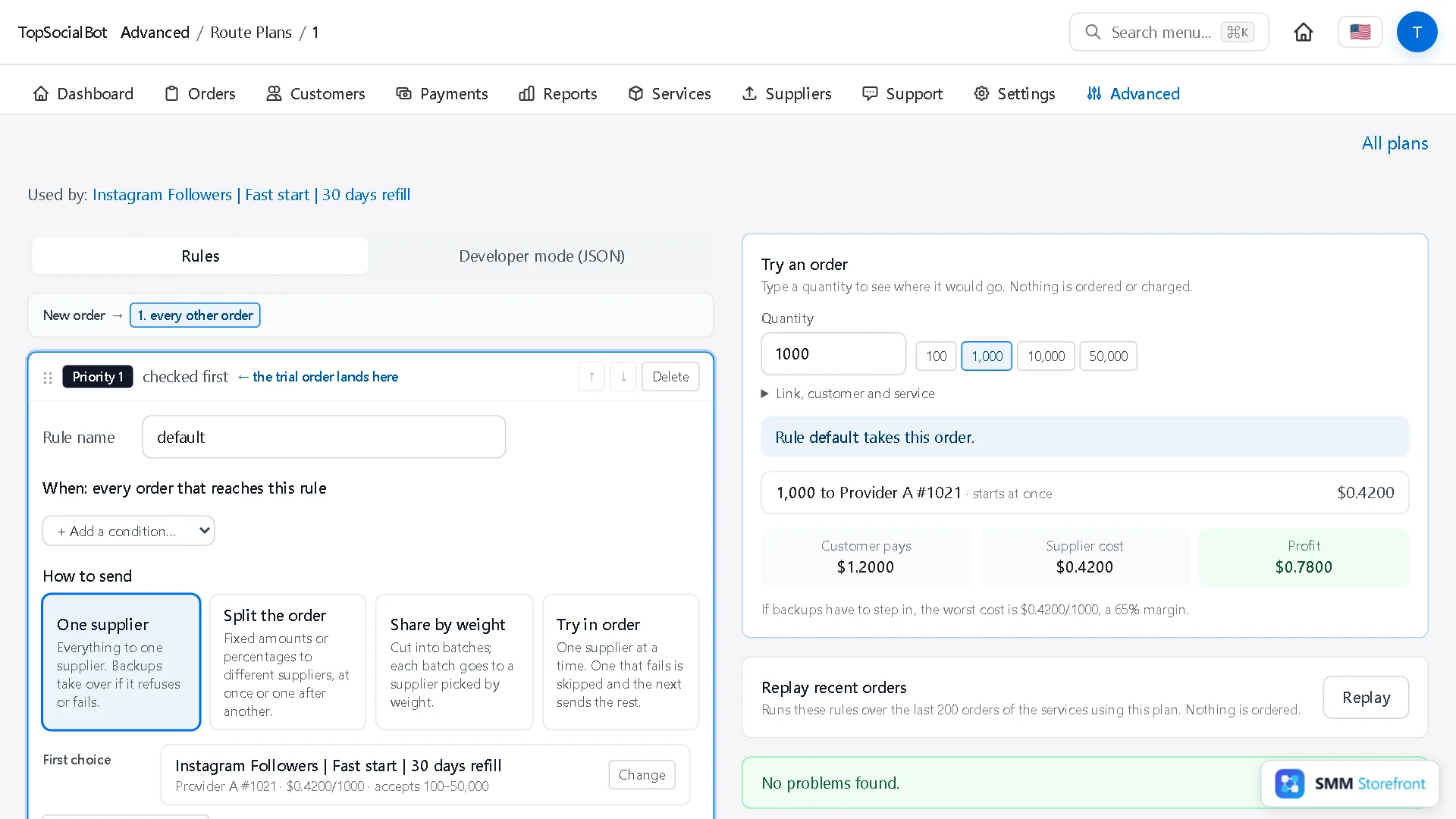
Open Services, click Forwarding rules in the strip at the top, and open the rule named after your service.
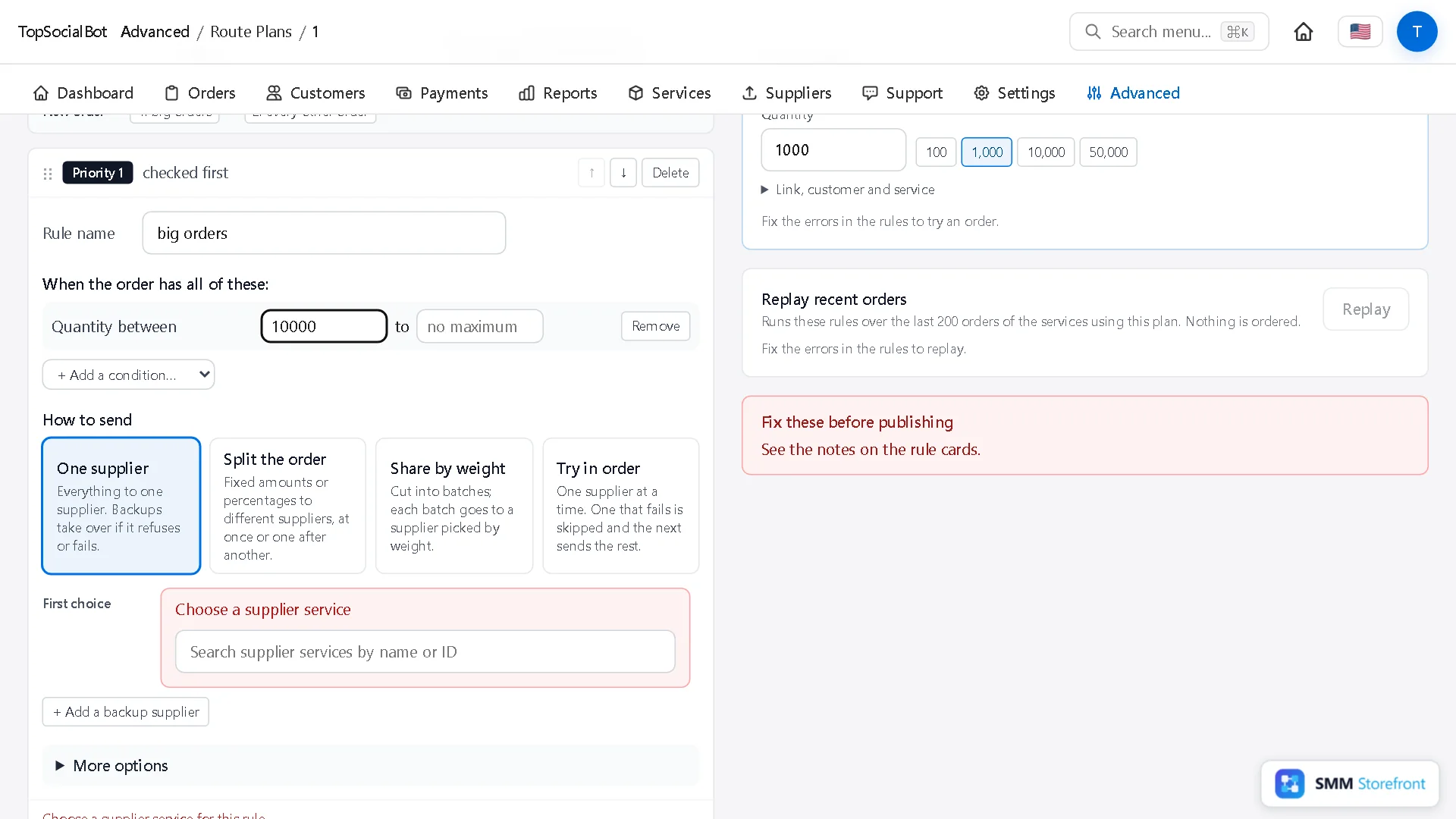
2. Add a rule for big orders
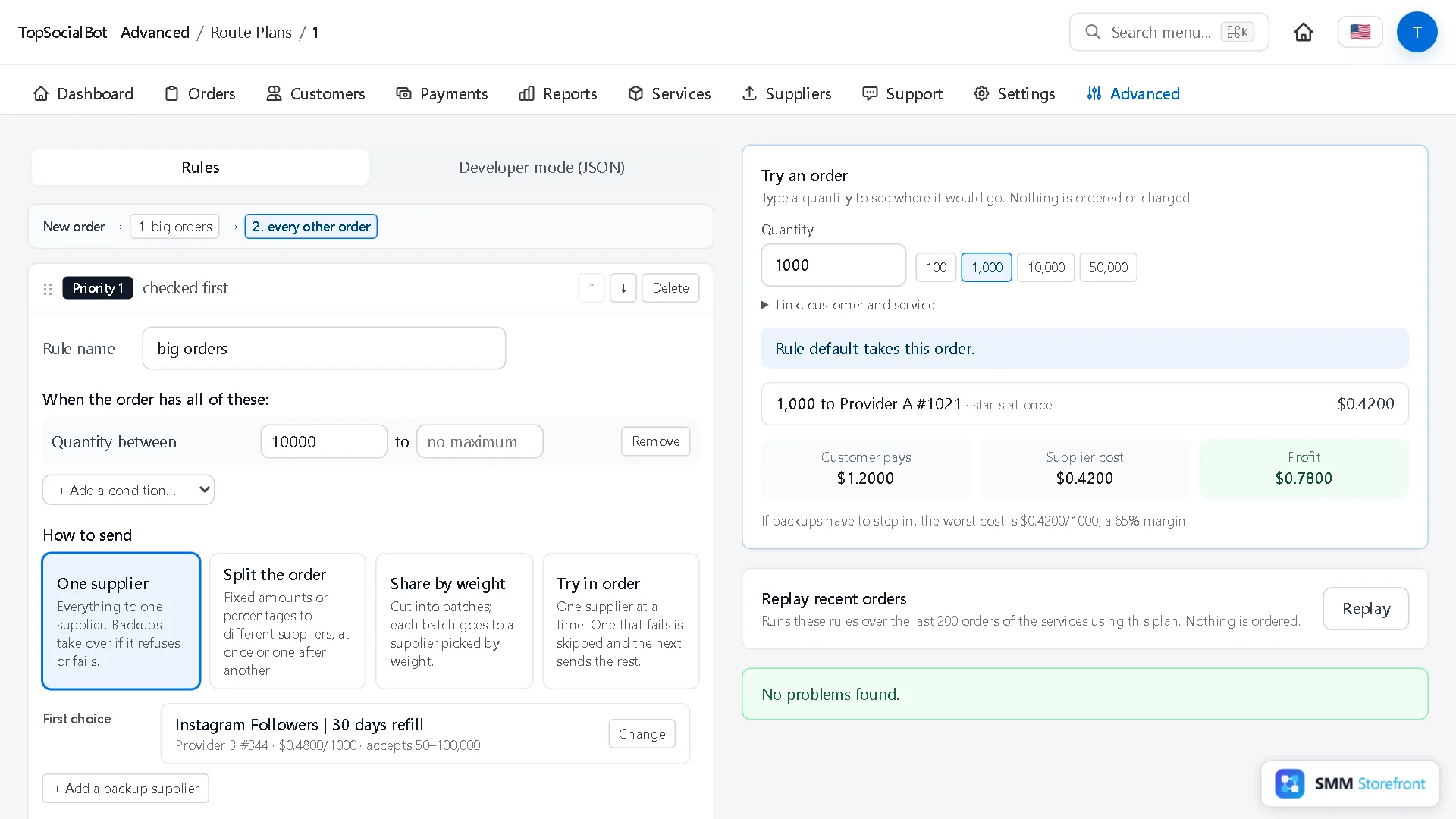
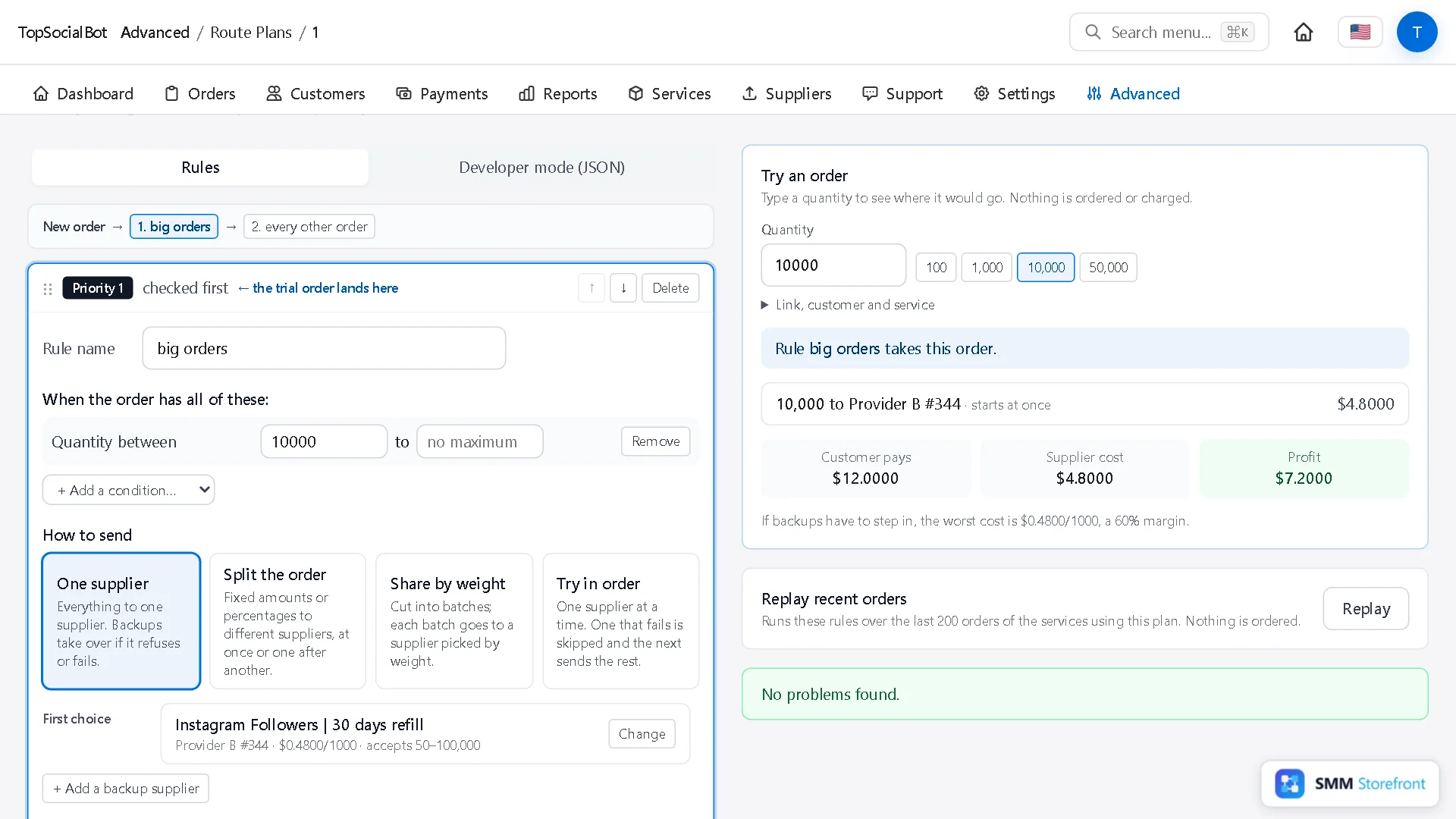
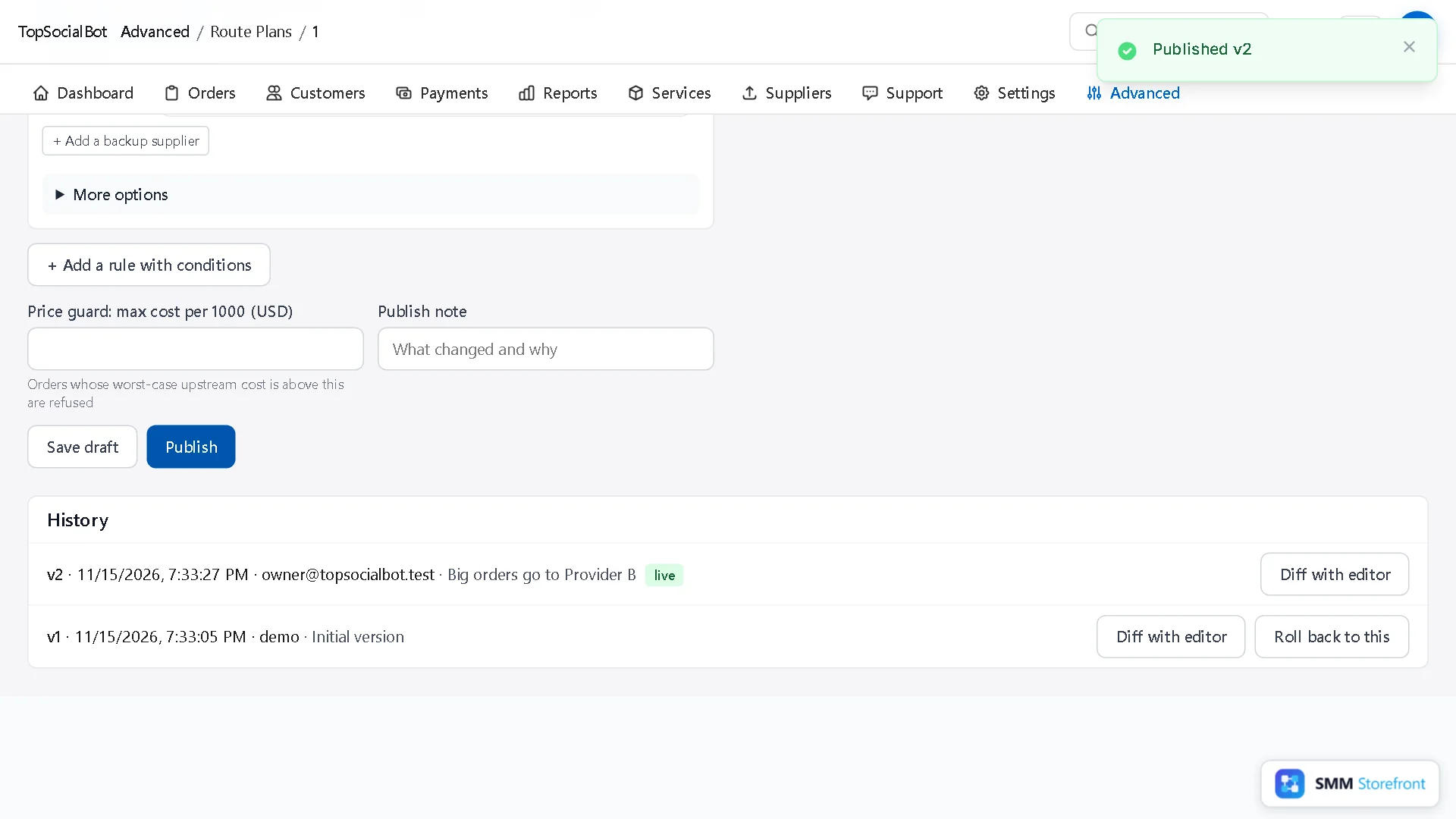
Click + Add a rule with conditions. Give the rule a name you will recognise later, and fill in Quantity between: here from 10,000, with no maximum.
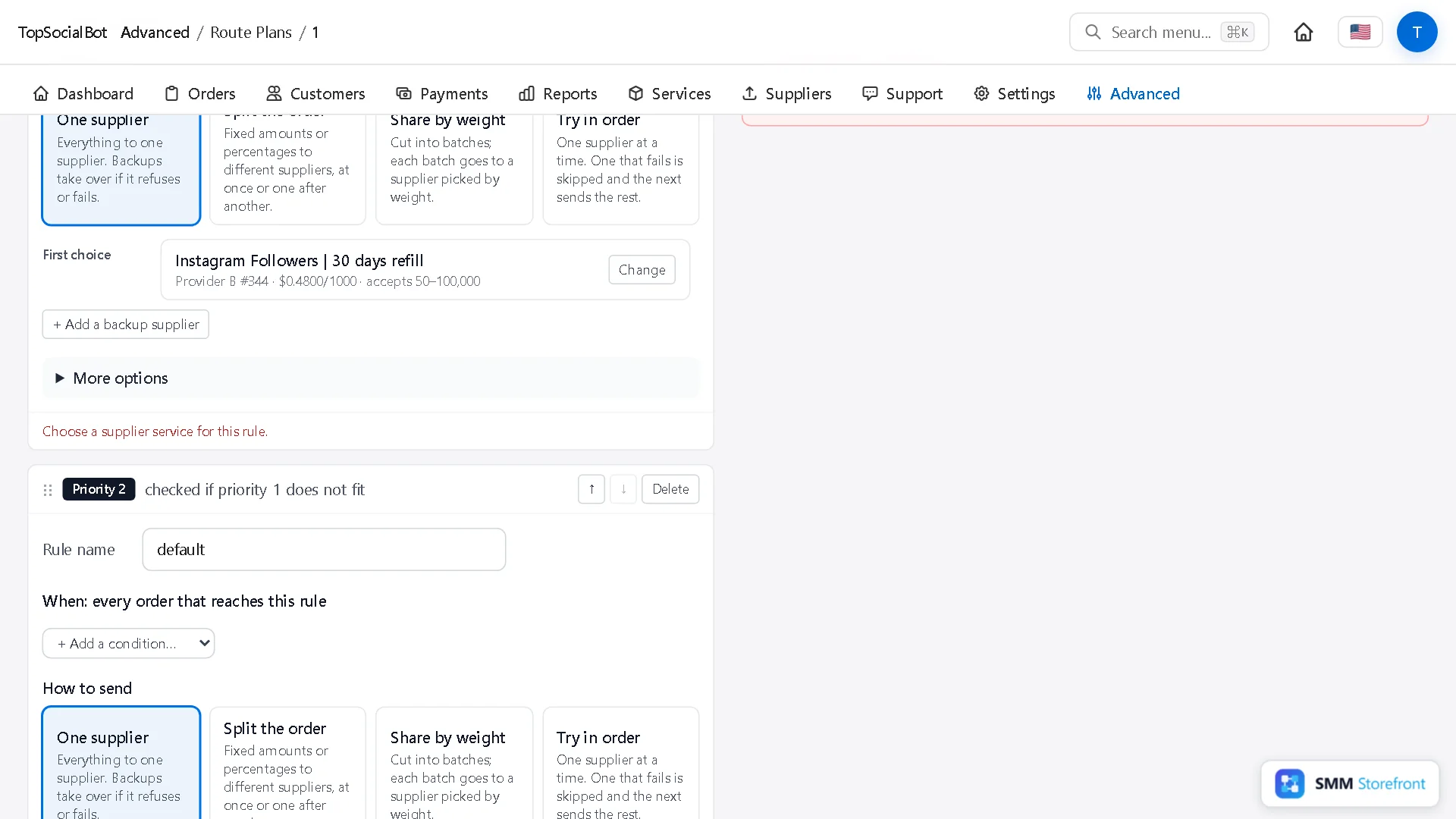
3. Choose its provider
Under First choice, search your suppliers' services and pick the one for big orders.
4. Try both sizes
On the right, Try an order shows which rule takes a quantity and what it costs. Nothing is ordered. 1,000 falls through to the default rule; 10,000 lands on the new one.
Split one order
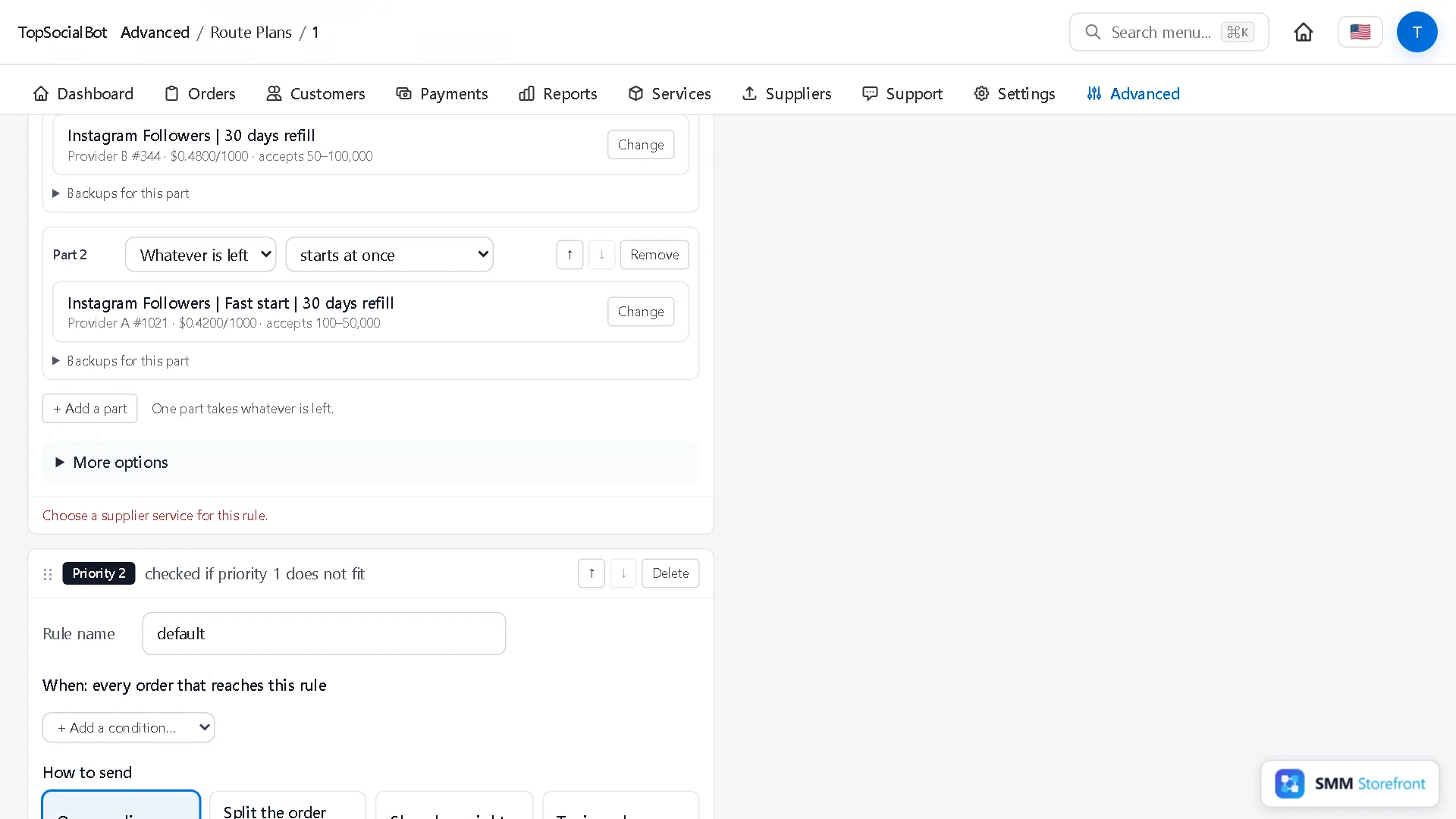
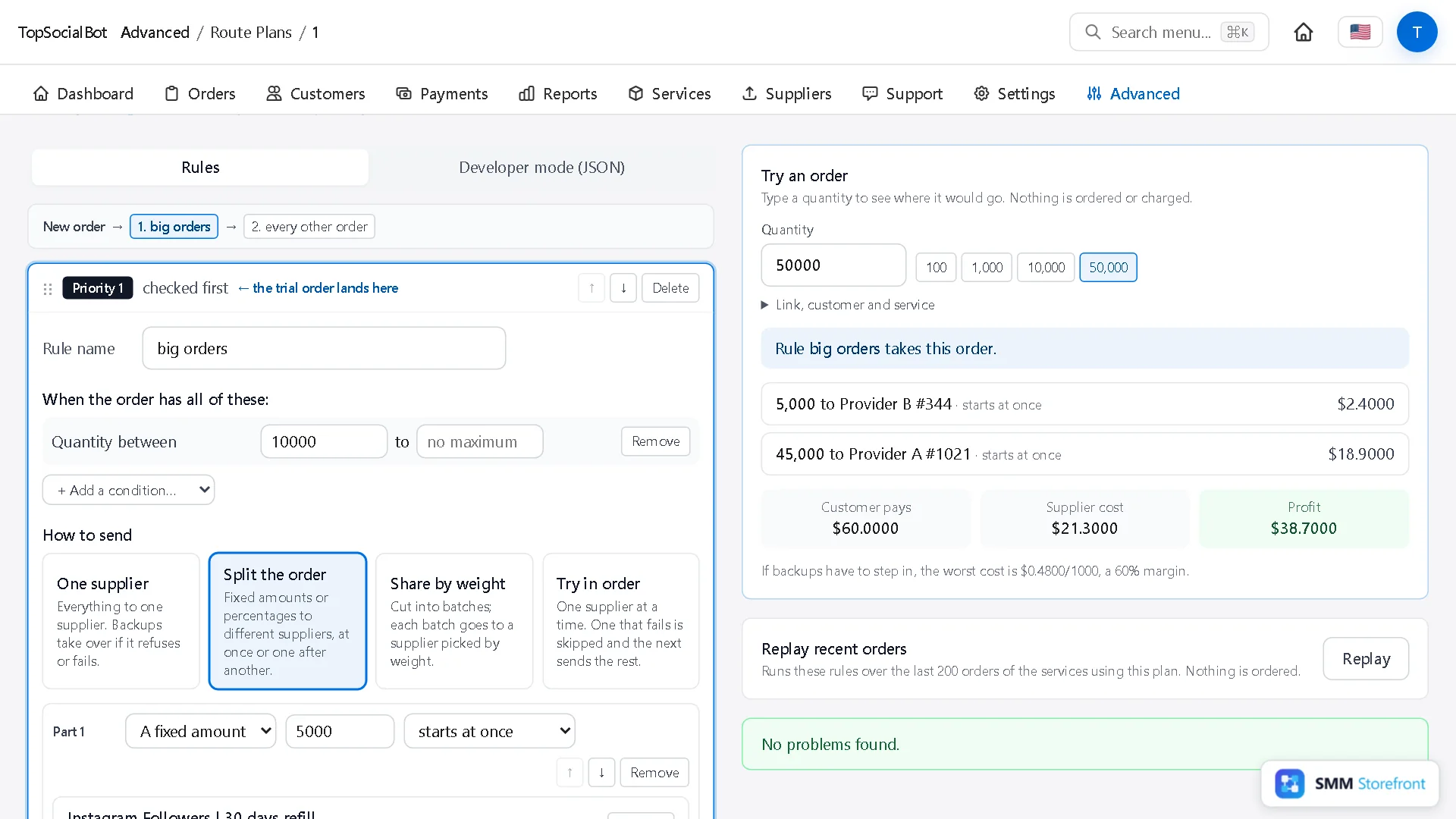
Under How to send, choose Split the order. Each part has an amount and a provider:
- A fixed amount: for example the first 5,000.
- A percentage: for example 20%.
- Whatever is left: one part can take the remainder, so every order size is covered.
Click + Add a part for each provider. A part can start at once, after a delay, or when the previous part ends.
There is a third way, Share by weight: the order is cut into batches of a size you set, and each batch goes to a provider picked by weight. Use it to spread volume across providers of the same quality.
Publish
Add a note and click Publish. The rule becomes a new version. Orders that are already running keep the version they started with.
Questions
What if no rule fits an order?
It is refused, and the customer is not charged. Keep an every other order rule at the bottom unless you want that.
Does the customer see the split?
No. They see one order with one status and one price.
Can a part be smaller than the provider's minimum?
The editor warns you when a part would fall outside what its provider accepts, and the trial shows it for the quantity you typed.
What to do next
- How to send different links to different providers from one serviceSend Reels, live videos and other link types to the provider that handles them, from one service.
- How to deliver big orders in batches over time, without asking the customerDeliver big orders in steady batches, even when the customer did not ask for drip-feed.
- How to change a routing rule safely: draft, test on real orders, publish, roll backTest a rule change on real orders before it goes live, and undo it in one click.
About the author

Marcus Reed
Head of Storefront Operations
Former SMM panel operator. Writes about launch timelines, payment routing, and what resellers need before day one.