
How to make sure a supplier price rise never makes you sell at a loss
16 novembre 2026

Marcus Reed
Head of Storefront Operations
A supplier raises its rate and you keep selling at the old price. The panel syncs costs every hour and refuses an order that would lose money. Add a price guard to be stricter. Video and screenshots.
Prefer to watch? The video covers everything below in about a minute and a half.
The problem
Suppliers change their rates without telling you. Your price stays where it was, every order now loses a few cents, and you find out days later from a report, after the loss is already real.
Three layers of protection
| Layer | What it does | You set it? |
|---|---|---|
| Hourly cost sync | Supplier rates refresh every hour, so the margin you see is current. | No, always on |
| Worst-case check | Before an order is accepted, the panel works out what it costs if the most expensive provider on its route has to deliver it. If that is not below what the customer pays, the order is refused. | No, always on |
| Price guard | Your own cap: the highest cost per 1,000 you accept on this service. | Yes |
See your margins
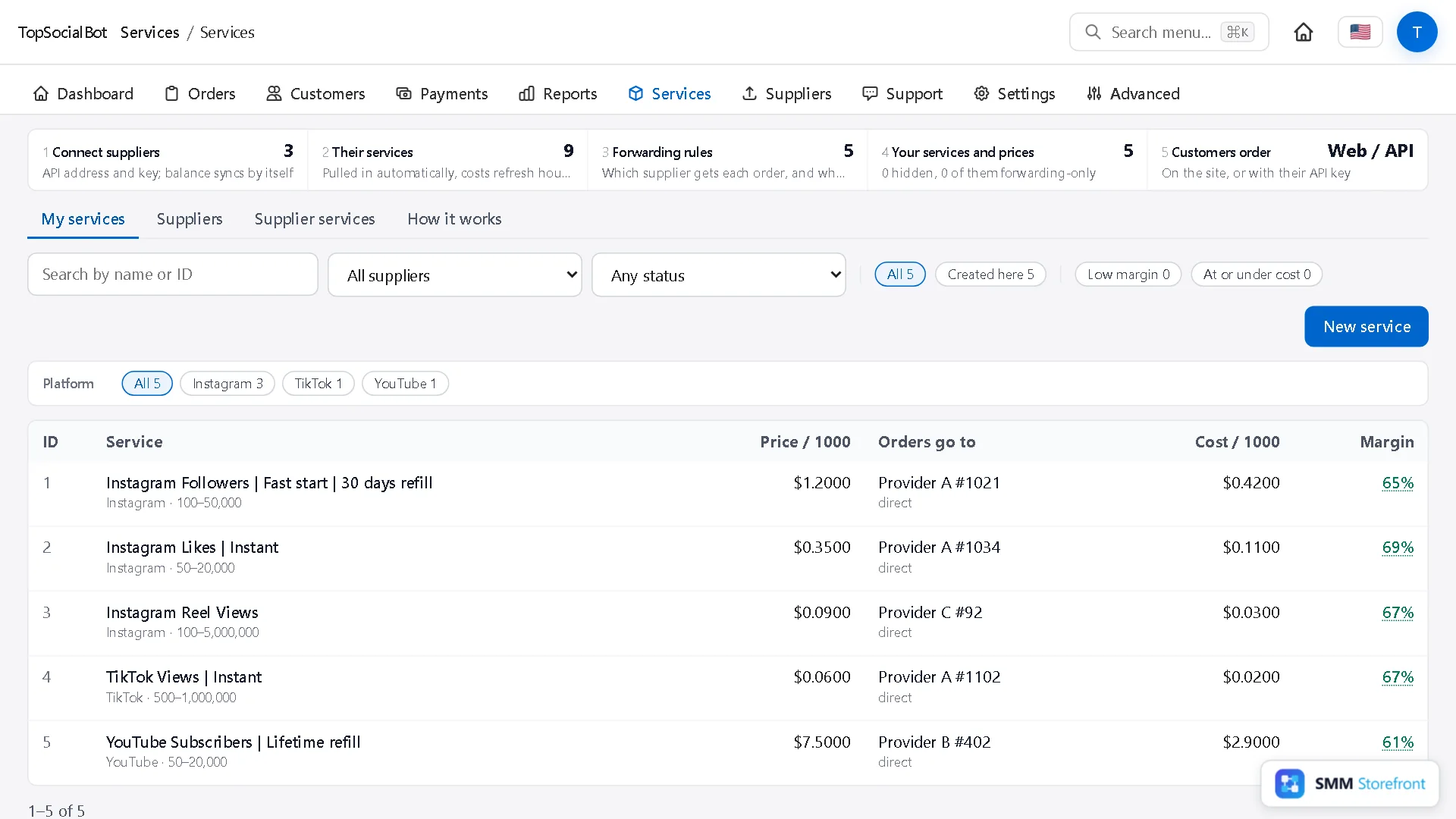
The Services list shows price, cost and margin for every service. Two filters above it, Low margin and At or under cost, list the services a price rise has hit.
See the worst case
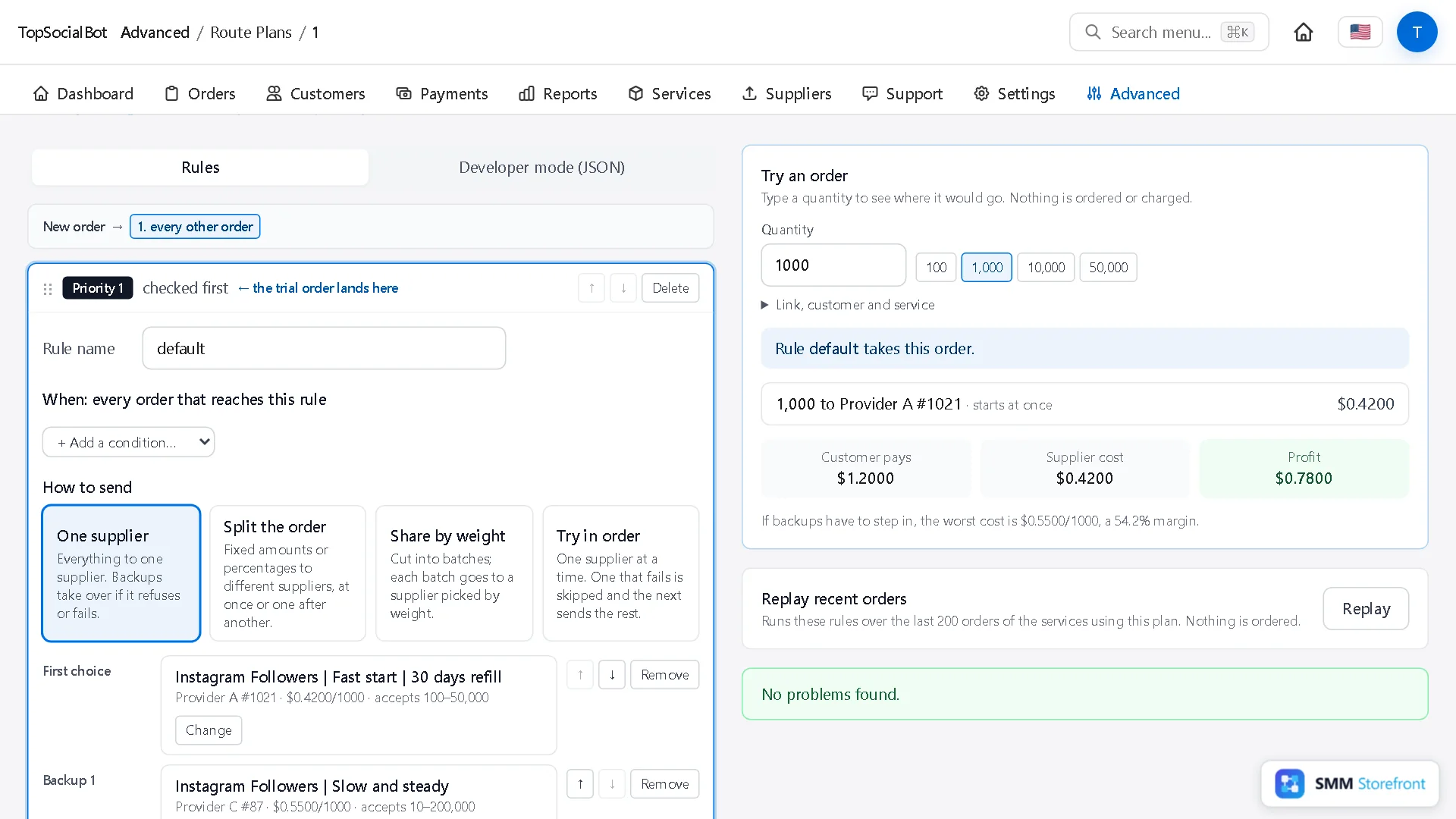
Open the service's forwarding rule and use Try an order. Under the result, the panel shows the worst case: the cost and margin if the dearest backup has to deliver.
Add a price guard
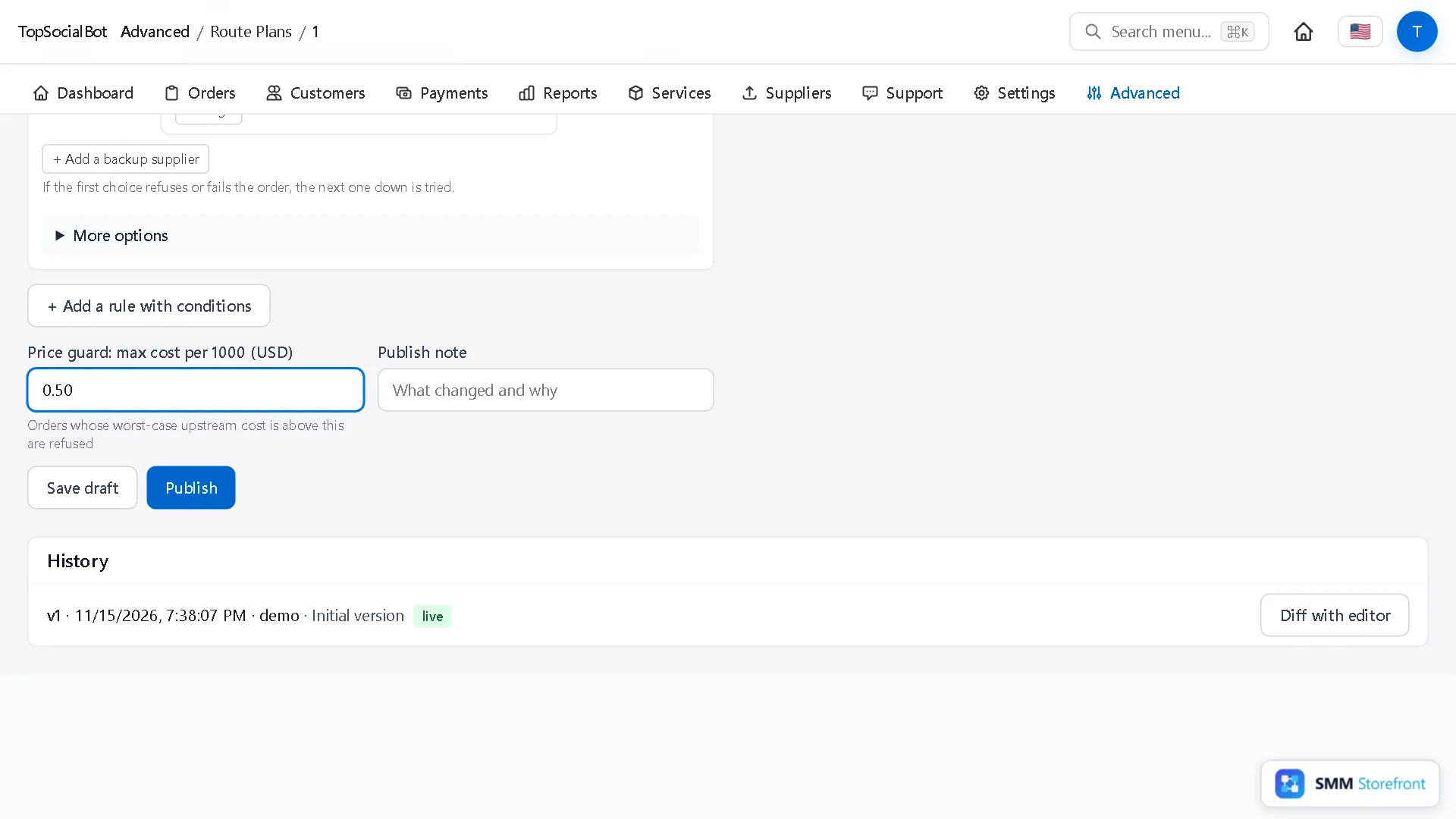
Below the rules, fill in Price guard: max cost per 1000 (USD). Orders whose worst-case cost is above it are refused.
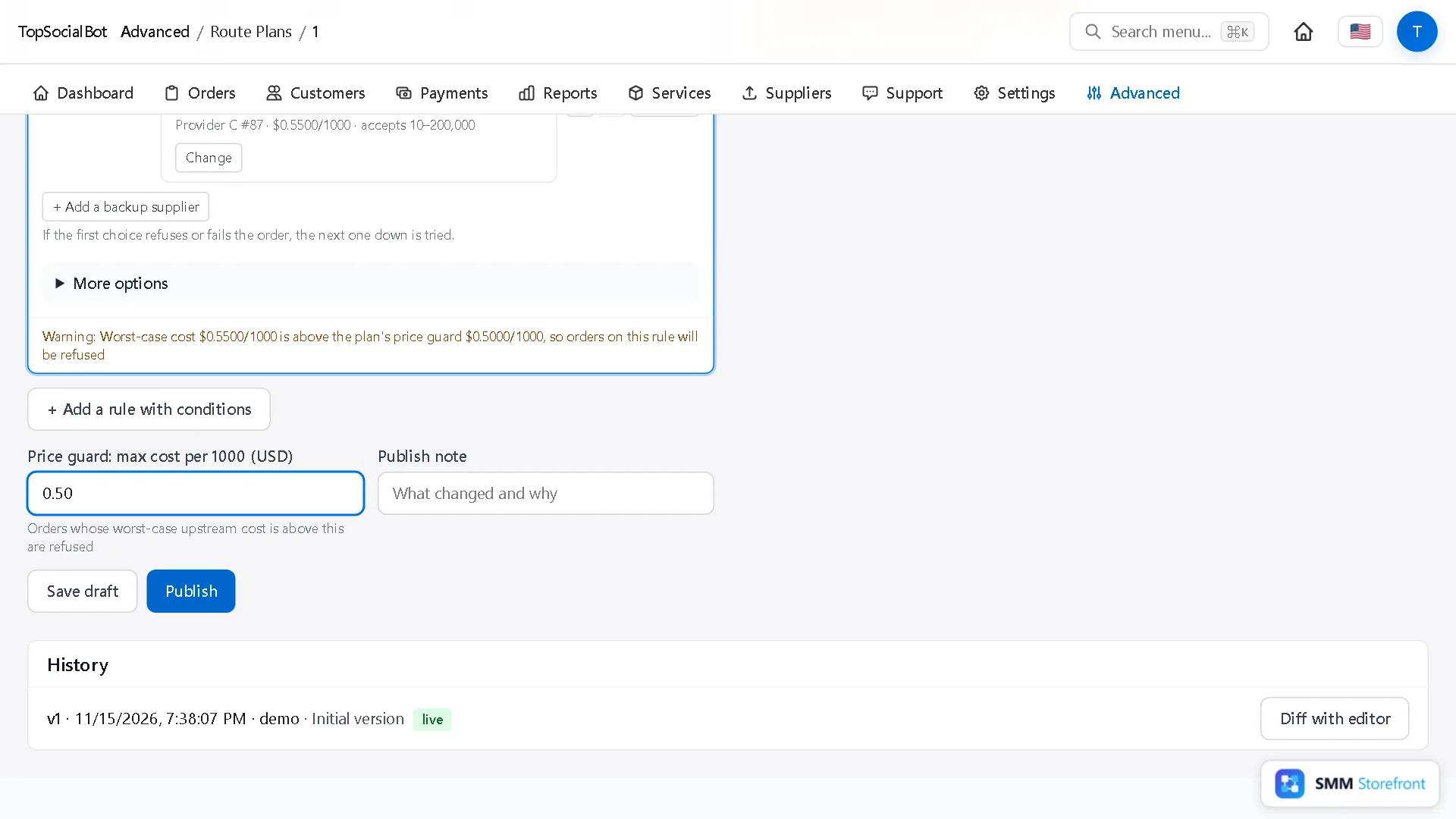
If a provider already on the route costs more than the guard, the editor warns you on the rule at once, before you publish: with this guard, orders on that rule would be refused.
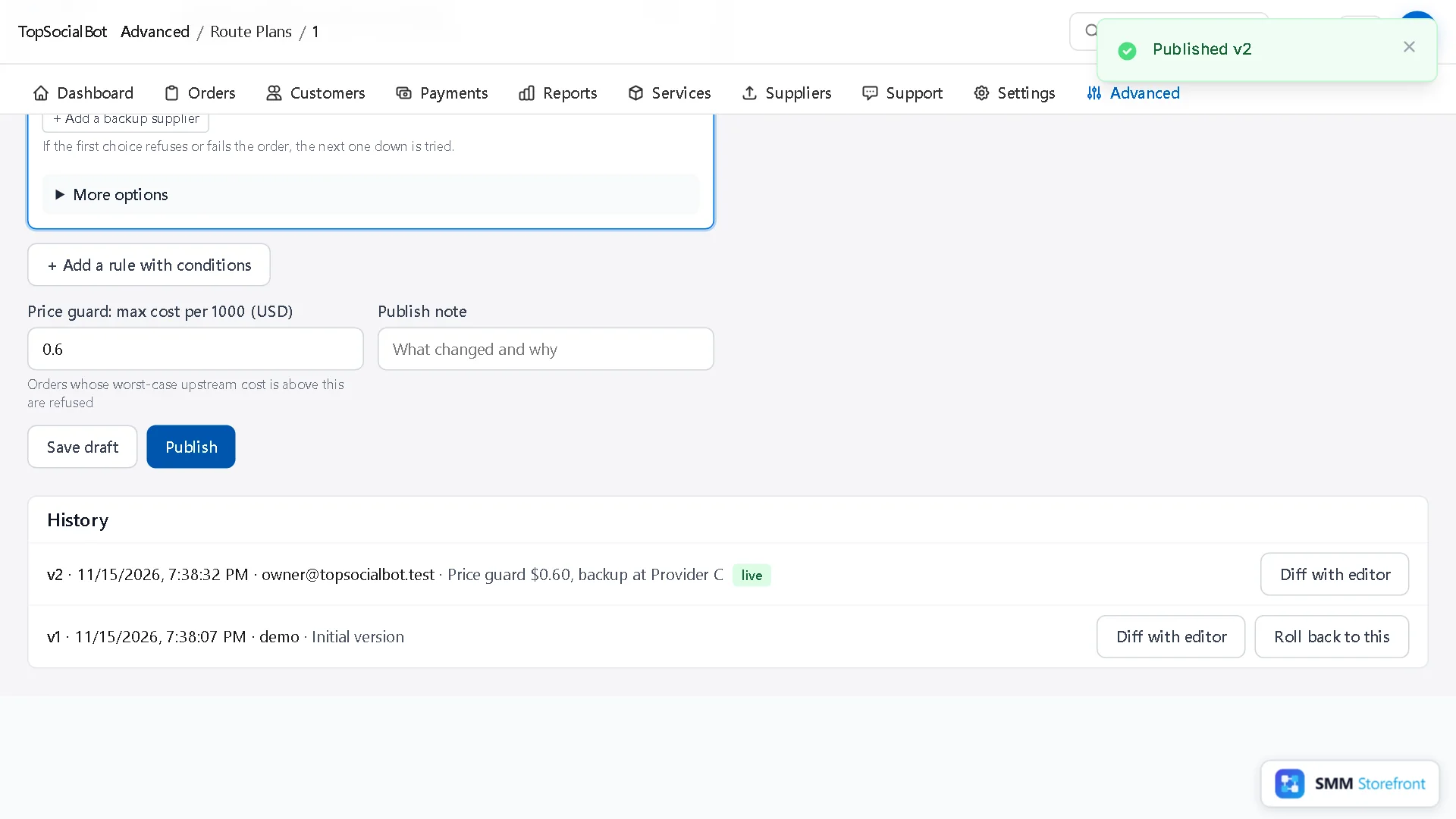
Either raise the guard above your dearest backup or remove that backup. Then add a note and Publish.
Where to set the guard
A little above your dearest backup, and well below your price. Too tight, and a small rate change starts refusing orders; too loose, and it never triggers. When a supplier does raise its rate past the guard, orders on that service are refused until you change the price, the guard or the provider, which is the point: you decide, instead of losing money quietly.
Questions
What does the customer see when an order is refused?
The order is not placed and nothing is charged.
Do I need a guard on every service?
No. The worst-case check already stops any order that would cost more than its price. The guard is for keeping a minimum margin, not just avoiding a loss.
What to do next
- How to change a routing rule safely: draft, test on real orders, publish, roll backTest a rule change on real orders before it goes live, and undo it in one click.
- How to add backup providers to a service, so one provider going down does not stop your ordersOne supplier is a single point of failure. Give each service a backup that takes over by itself.
- How to route orders by size, or split one order between providersSend small and big orders to different providers, or split one order between two.
About the author

Marcus Reed
Head of Storefront Operations
Former SMM panel operator. Writes about launch timelines, payment routing, and what resellers need before day one.