
How to add backup providers to a service, so one provider going down does not stop your orders
November 13, 2026

Marcus Reed
Head of Storefront Operations
A service tied to a single provider fails the moment that provider stops accepting orders. Give it a list of backups in about a minute. Video and step-by-step screenshots.
Prefer to watch? The video covers everything below in under two minutes.
The problem
Most panels let a service point at exactly one provider service. When that provider runs out of stock, goes into maintenance or simply stops answering, every new order on your service is rejected. You usually find out from tickets, and then you switch the service to another provider by hand, often at a bad hour. Meanwhile the customers who ordered have already seen an error or a refund.
What a backup provider does
On the SMM Storefront panel a service has a first choice and, if you add them, a list of backups. Each new order goes to the first choice. The next provider on the list gets the same order when the one before it:
- rejects the order, or
- cancels it with nothing delivered.
Backups are tried from the top down. Your customer sees one service, one price and one order, whichever provider ends up delivering it.
Set it up
1. Find the service
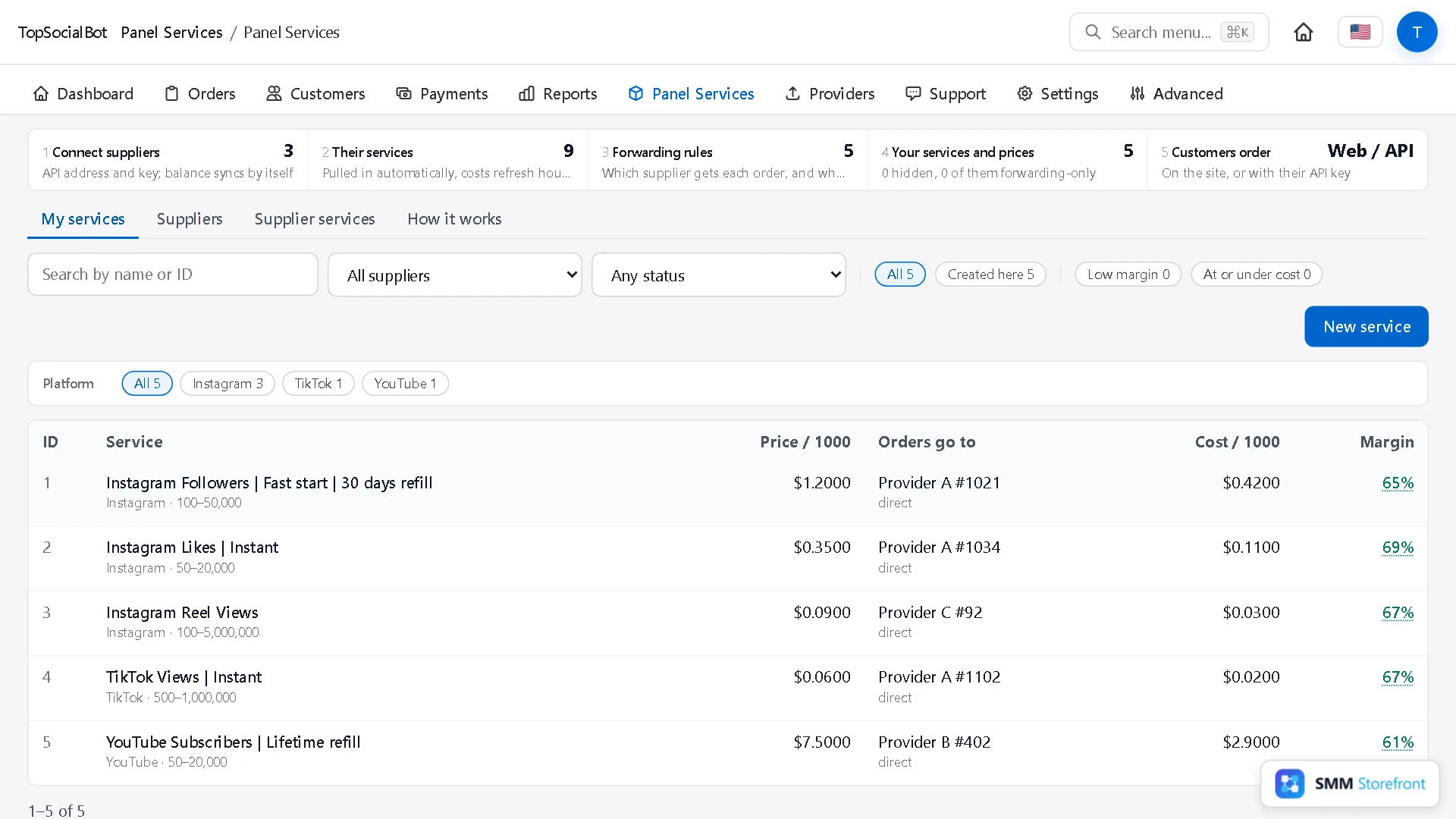
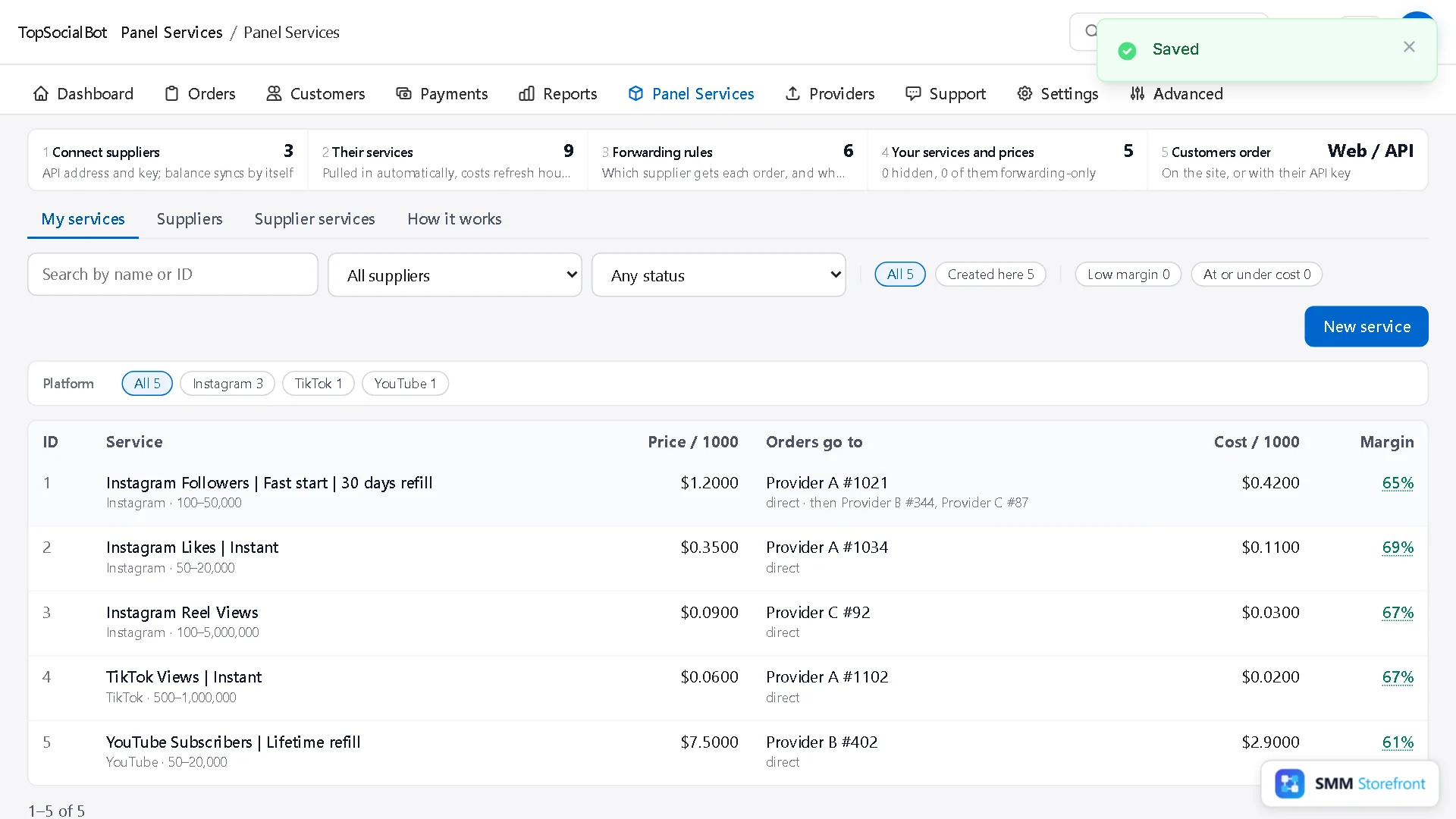
Open Panel Services. The Orders go to column shows where each service sends its orders. In this example, Instagram followers go to Provider A and nowhere else.
2. Open Fulfilment
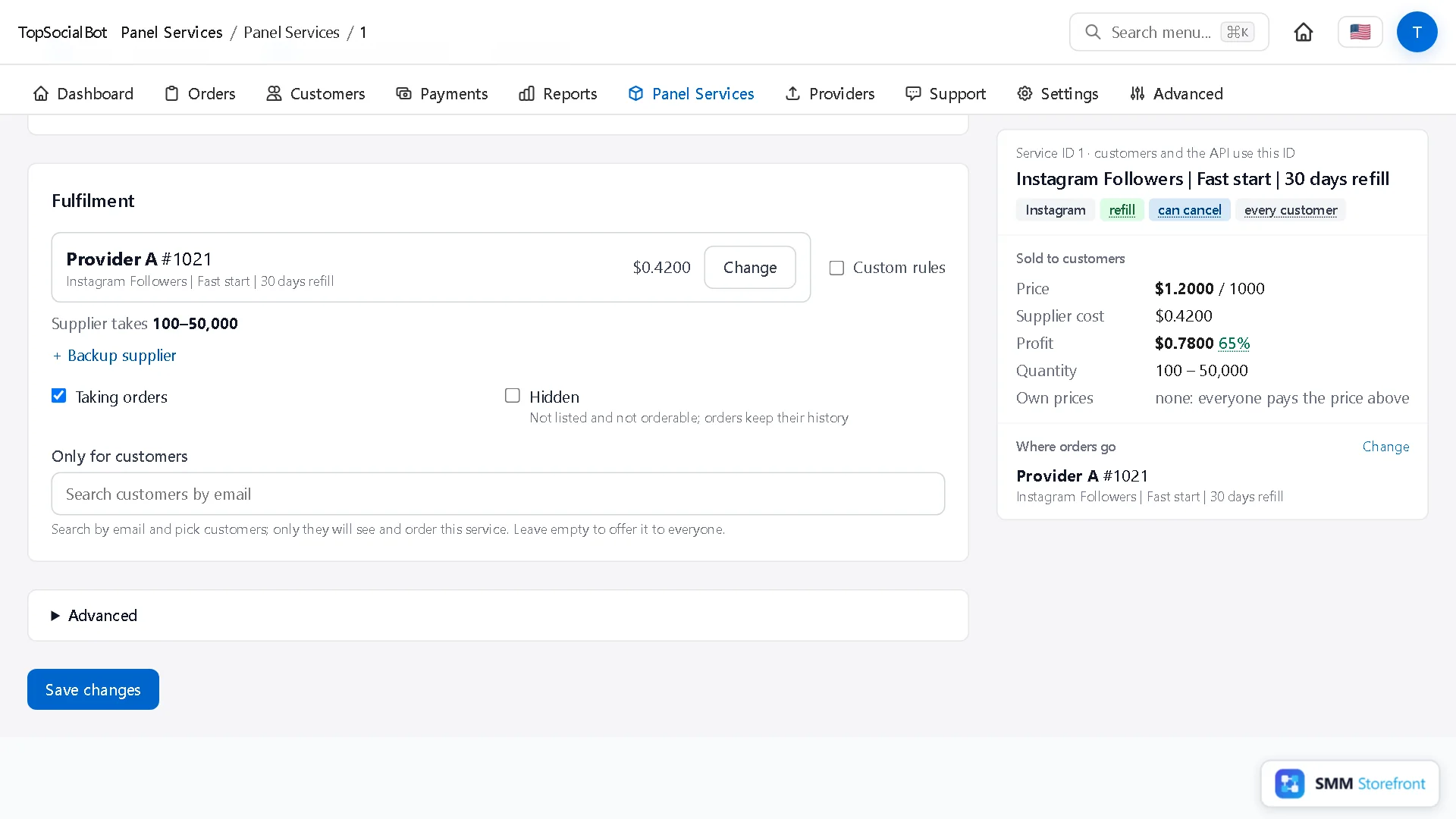
Select the service. In the side panel, next to Where orders go, click Change. You land on the Fulfilment section of the service.
3. Add the backups
- Click + Backup supplier.
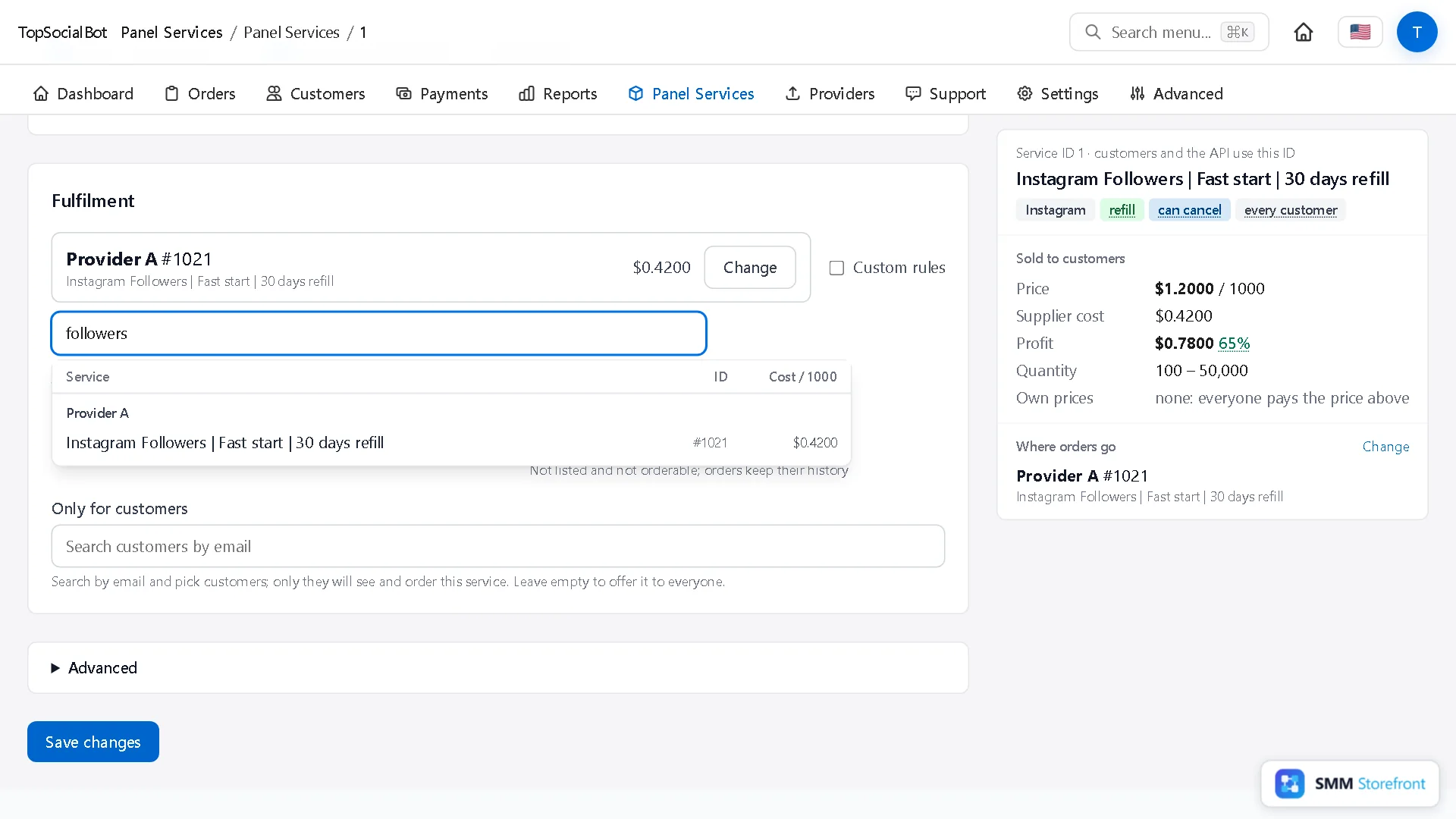
- The search box starts with your service name. Replace it with a shorter word such as
followersto see what your other providers offer, with each one's ID and cost per 1,000. - Pick the matching service. Repeat for a second backup if you want one.
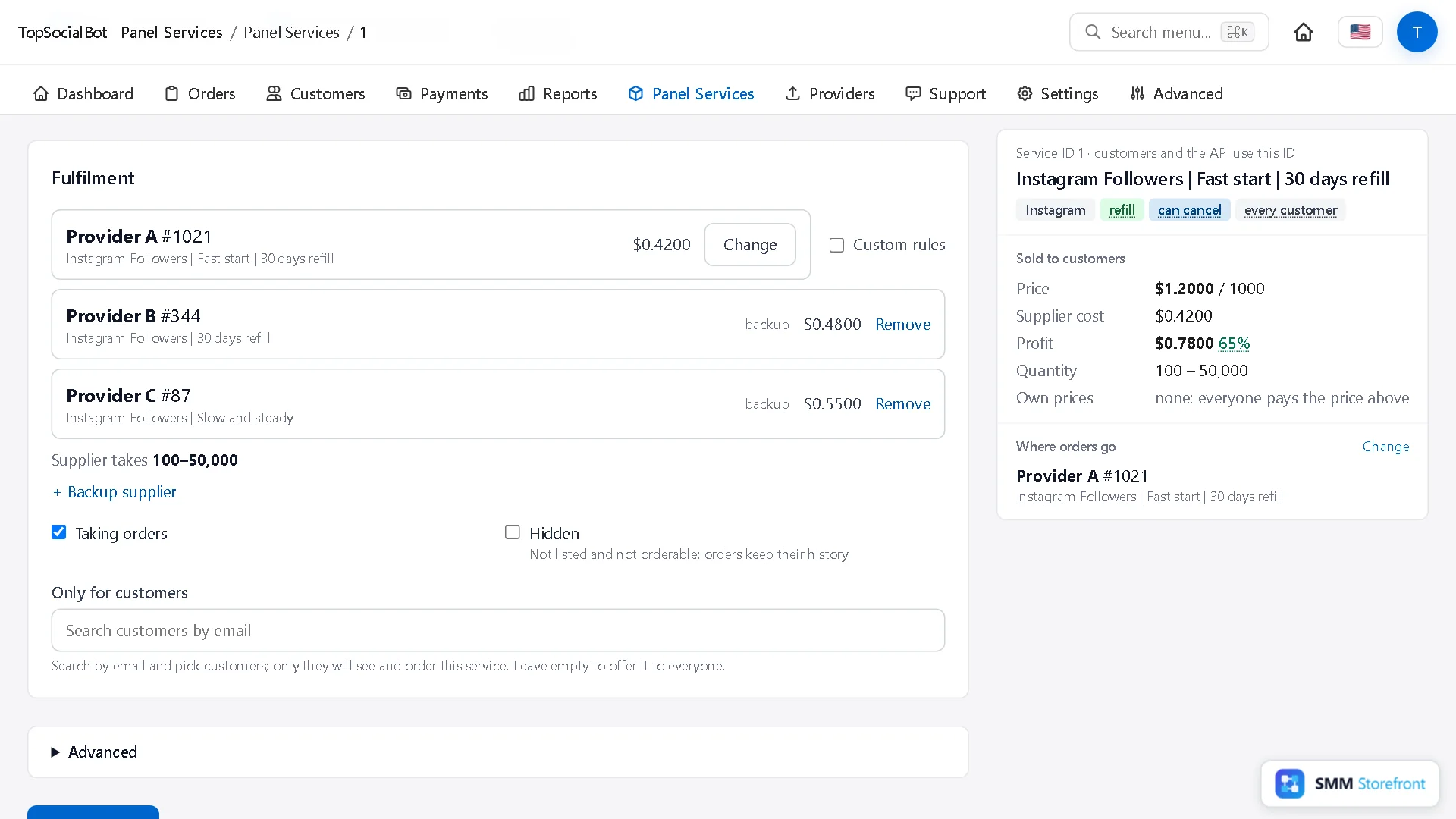
4. Save
Click Save changes. The route is published as a new version. Orders already running keep the version they started with. Back in the list, the service now reads "Provider A, then Provider B, Provider C".
Check it before a real order does
Open the service's forwarding rule (Panel Services, then Forwarding rules). On the right, Try an order shows where a given quantity would go. Nothing is ordered or charged.
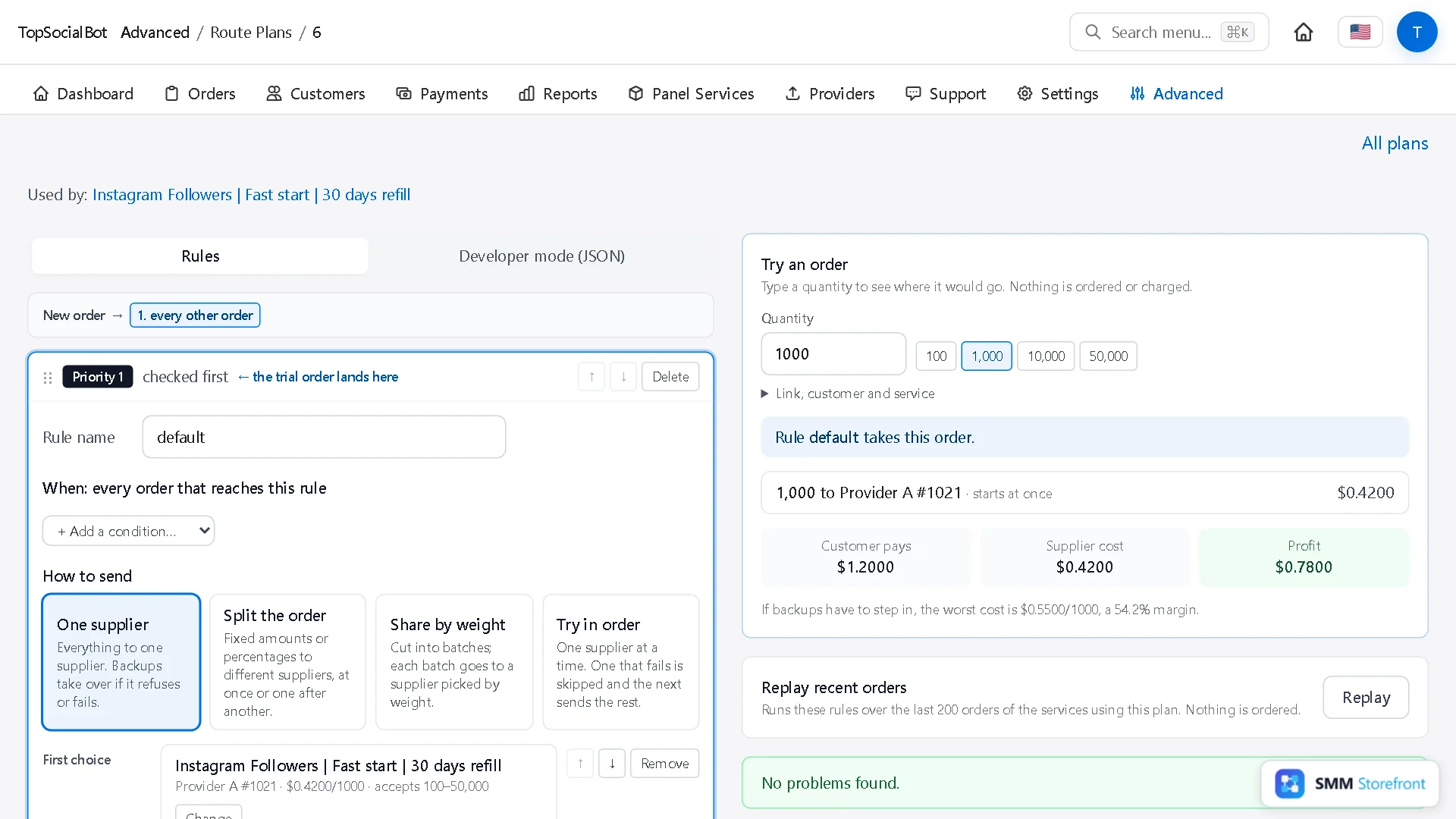
Under the trial, the panel also works out your worst case: what the order costs if the most expensive backup has to deliver it. Here that is $0.55 per 1,000 against a price of $1.20, so the margin is still 54.2%.
Choosing good backups
| Check | Why |
|---|---|
| Same kind of service | The customer was sold one thing. A backup with a different refill period or quality becomes a ticket later. |
| Cost below your price | An order is refused when its worst-case cost is not below what you charge. A backup that costs more than your price would block orders instead of saving them. |
| Minimum and maximum cover what you sell | A backup can only take quantities inside its own limits. Compare them with your service's min and max. |
| A different upstream | Two providers that resell the same source tend to go down together. |
Questions
Does the customer see that the provider changed?
No. They see one order with one status.
What if every provider on the list refuses?
The order is handled as it would be with a single provider that refused it: depending on the service's settings, it is refunded or waits under Needs attention for you to resend or close.
Can I change the order of backups later?
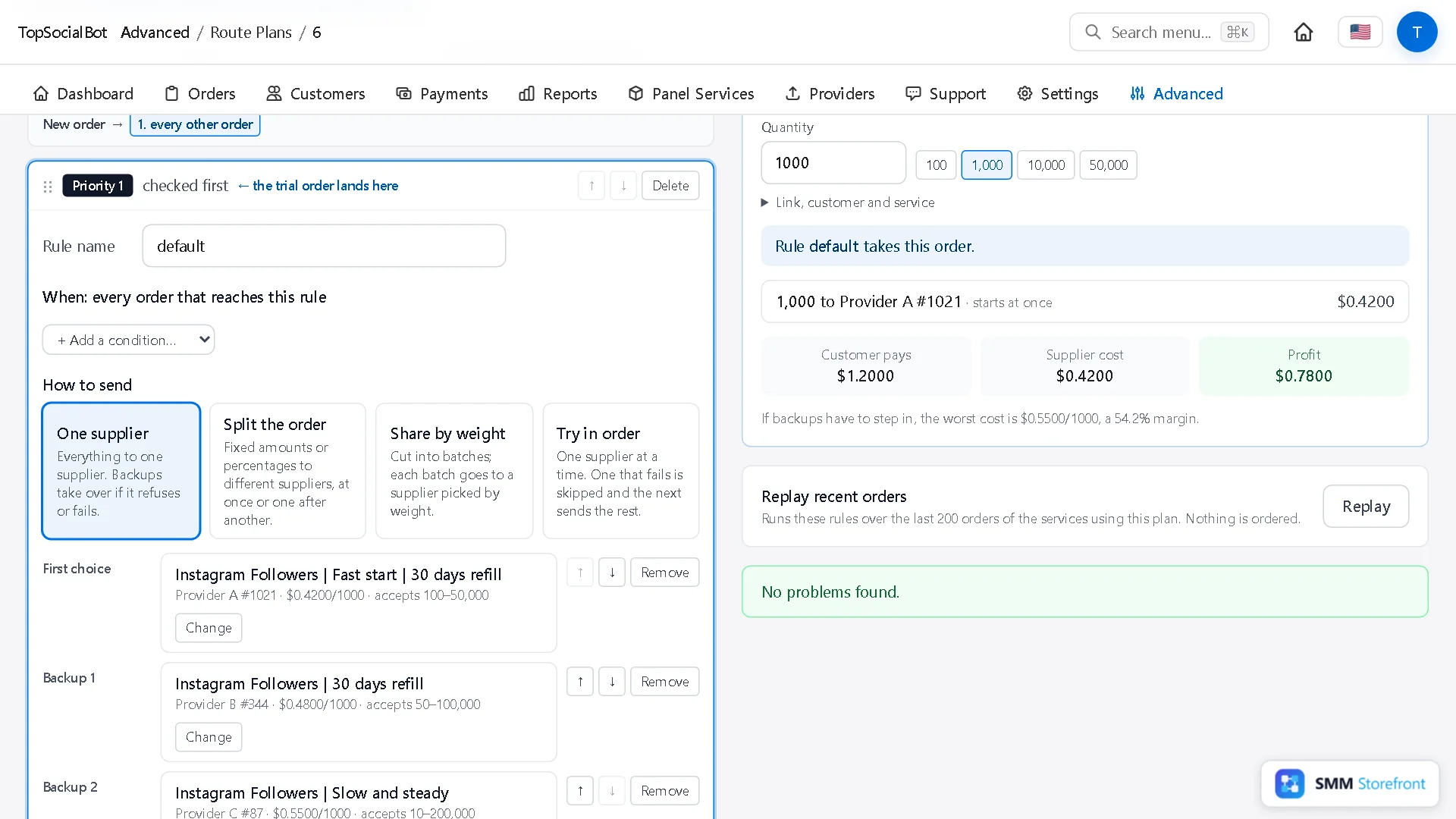
Yes. In the forwarding rule, each backup has up and down arrows. Publishing creates a new version, and the earlier ones stay in History.
Next in the series: route by order size, and split one order across providers. The full list of routing rules is on the SMM panel page.
What to do next
- How to send what a provider did not deliver to another providerHave another provider finish what the first one did not deliver, instead of refunding it.
- How to route orders by size, or split one order between providersSend small and big orders to different providers, or split one order between two.
- What happens when a supplier times out or rate limits you, and why no order is paid for twiceSee what the panel does when a supplier times out or rate limits you, so no order is paid for twice.
About the author

Marcus Reed
Head of Storefront Operations
Former SMM panel operator. Writes about launch timelines, payment routing, and what resellers need before day one.