
What happens when a supplier times out or rate limits you, and why no order is paid for twice
16 نومبر، 2026

Marcus Reed
Head of Storefront Operations
A supplier does not answer, the panel retries, and you pay for the same order twice. Here a rate limit means wait, and an unclear order is held for you instead of being placed again. Video and screenshots.
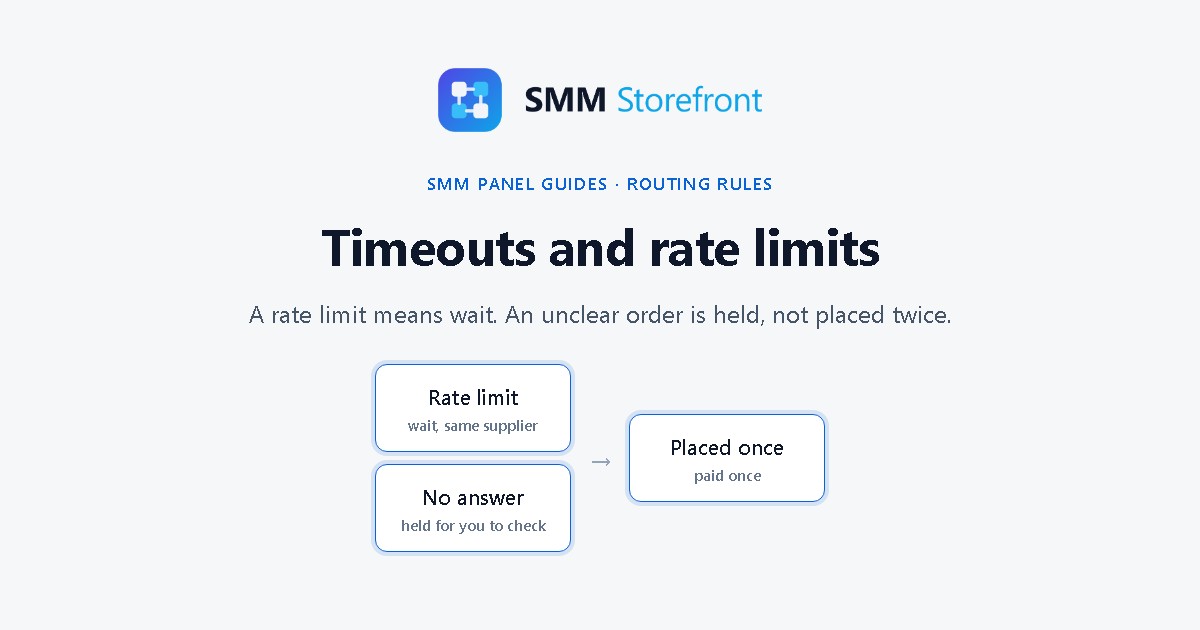
Prefer to watch? The video covers everything below in about a minute and a half.
The problem
Two things go wrong when a supplier is under load. It answers "too many requests", or it does not answer at all. A panel that treats both as "failed, try again" ends up placing the same order twice: once in the call that looked lost, and once in the retry. You pay the supplier for both, and the customer paid you for one.
What the panel does
| What the supplier did | What it means | What the panel does |
|---|---|---|
| Answered with a rate limit (429) | The order was not placed | Slows down for that supplier and sends again later, to the same supplier |
| Did not answer in time | Nobody knows whether it was placed | Holds the order for you to check. It is not sent again by itself |
There is nothing to switch on. Both are how every order is handled.
A rate-limited order
Open the order. Under Legs, the part sent to that supplier shows how many times it was tried and when the next try is. You do not need to do anything; Send now is there if you know the limit has cleared.
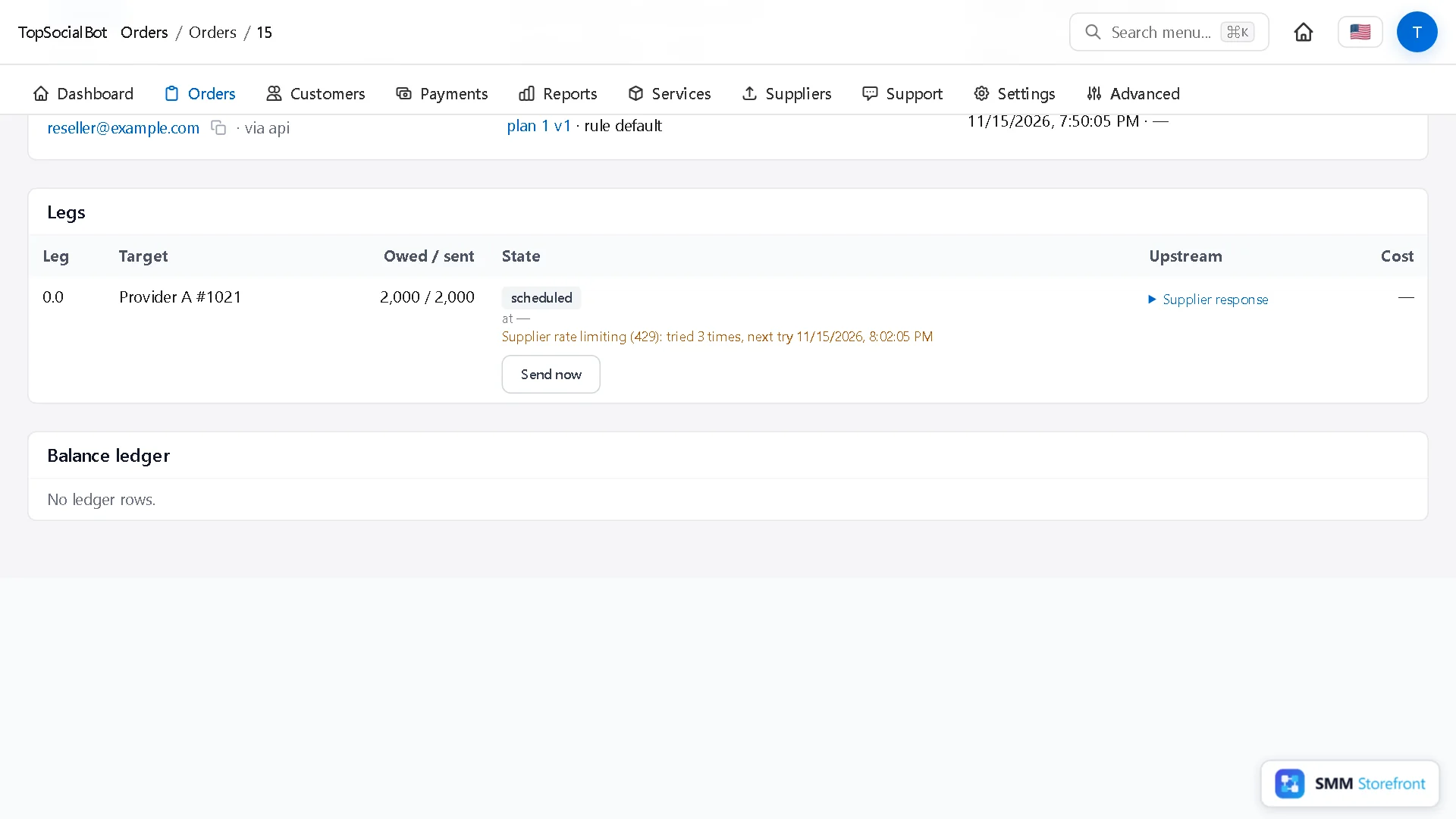
A rate limit is not a failure, so backup suppliers do not take over here. Backups step in when a supplier rejects the order.
A held order
Orders whose outcome is unknown are under the Held tab of Orders. The tab shows a count, so you can see at a glance whether anything is waiting for you.
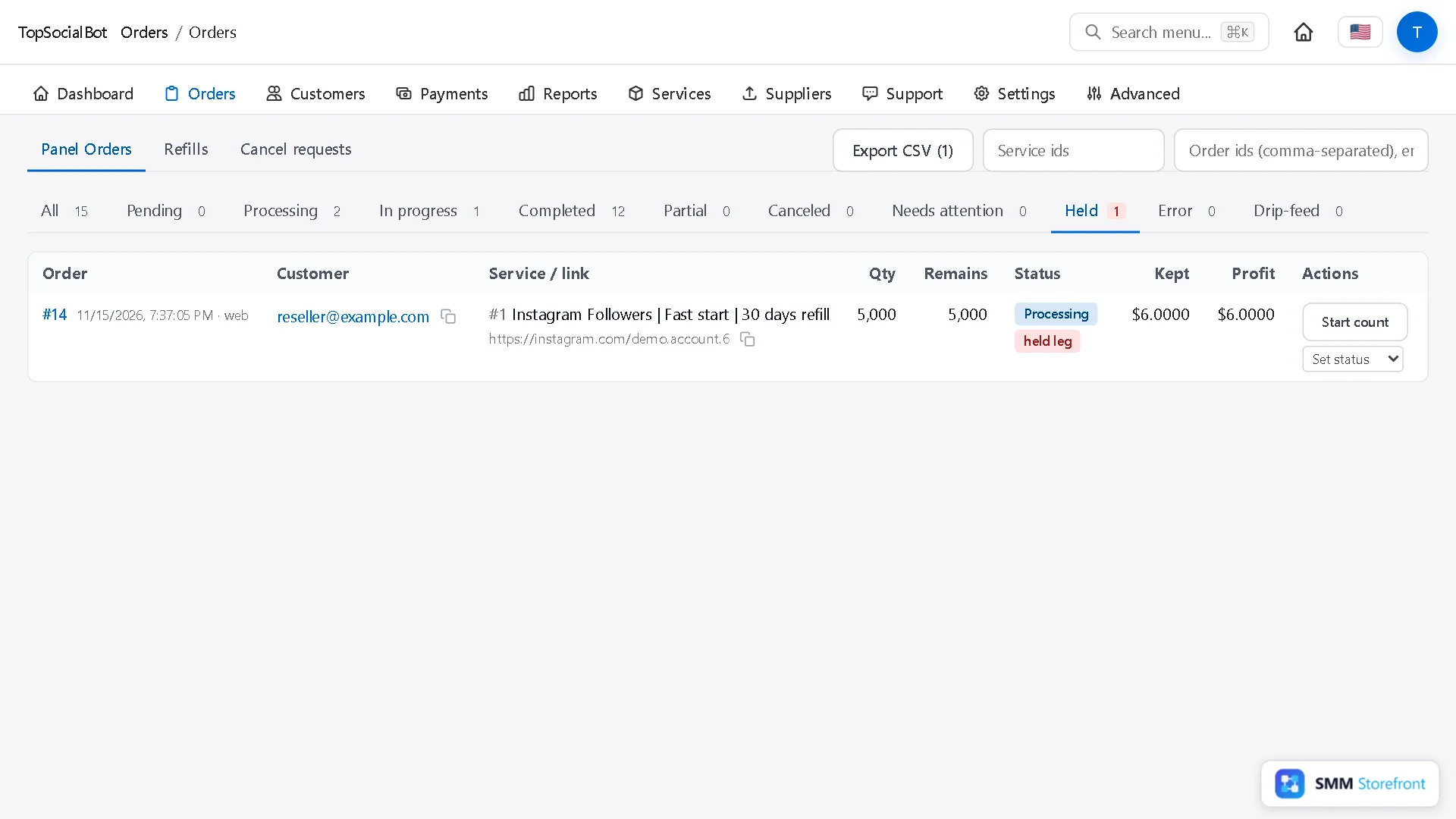
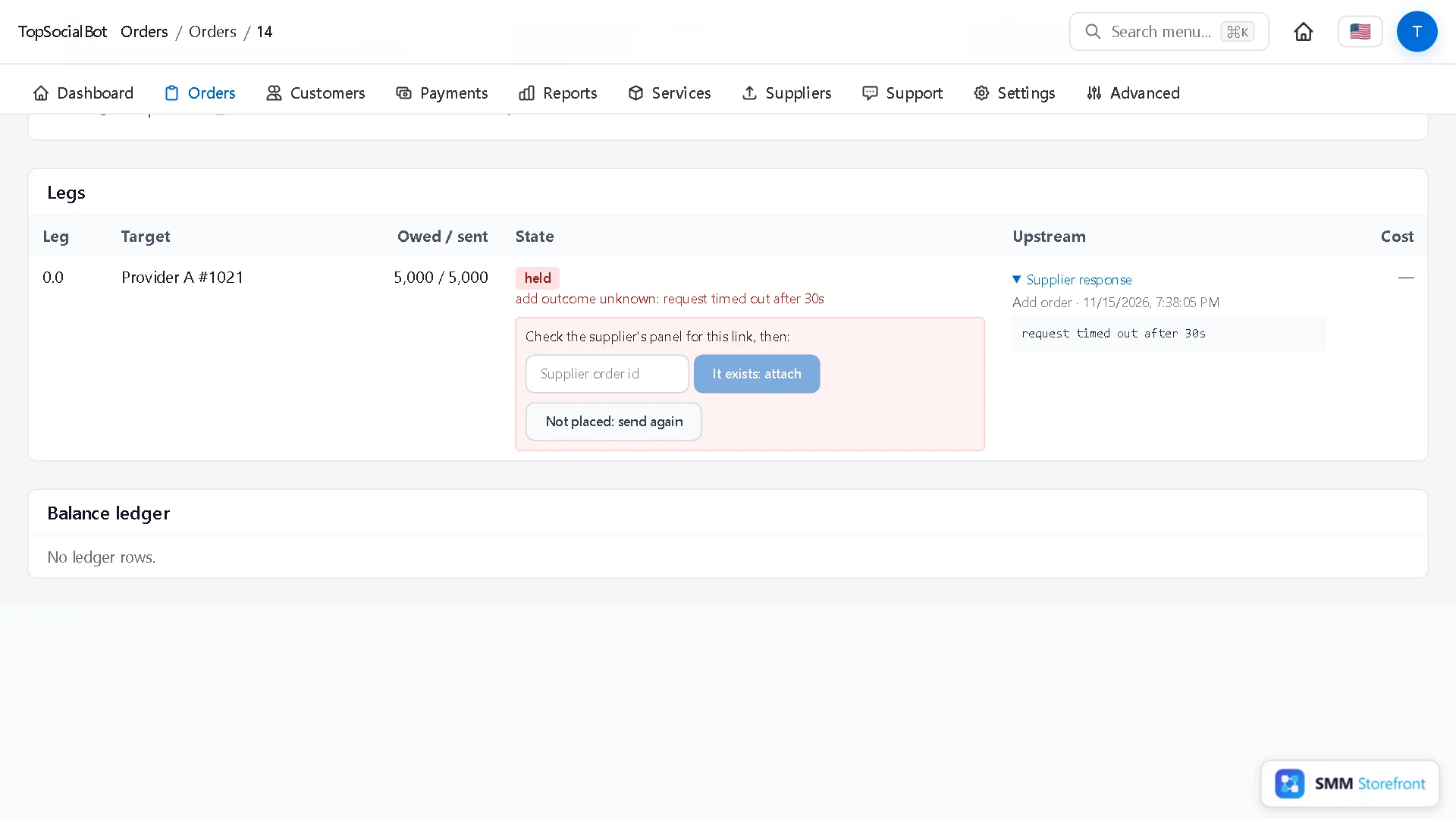
Open it. The leg says why it is held, and the supplier's answer, if there was one, is next to it.
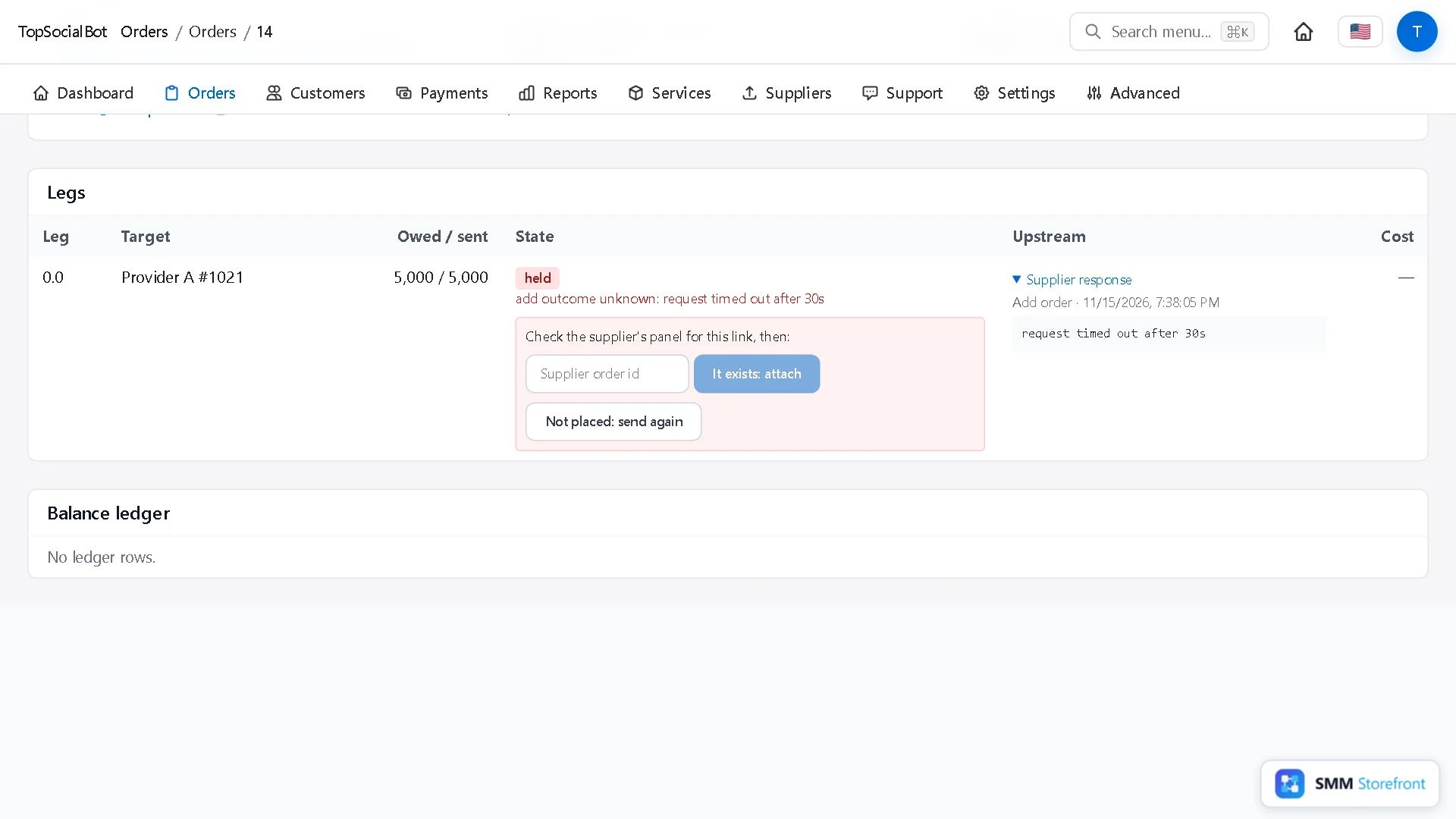
Look for the order in the supplier's own panel, by the link. Then tell the panel what you found:
- It exists: attach: type the supplier's order ID. The panel follows that order from here on, and nothing is placed again.
- Not placed: send again: the order is sent to the supplier. Use it only after you have checked that it does not exist there.
See which supplier causes it
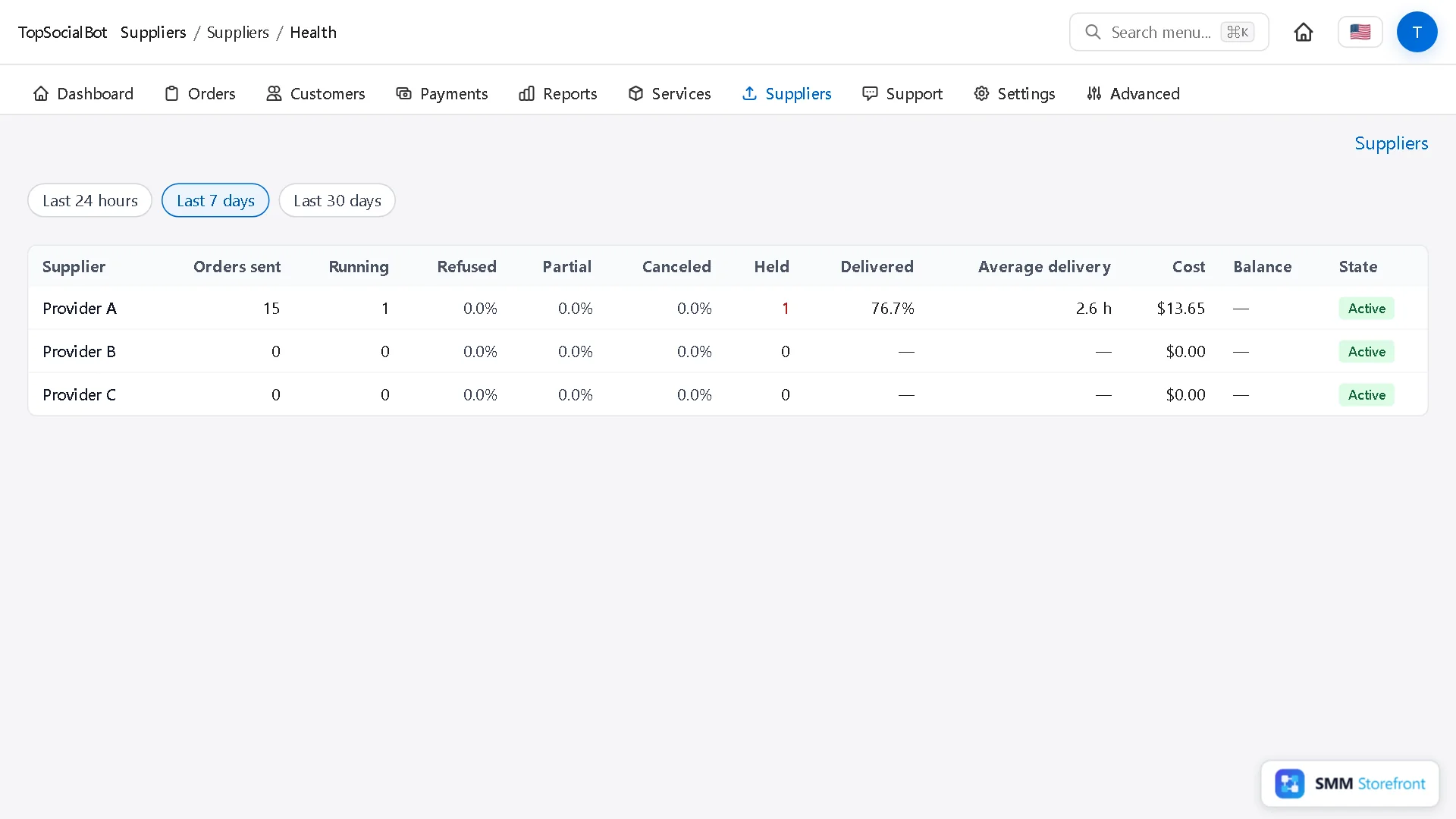
Under Suppliers, Supplier health shows for each supplier, over 24 hours, 7 days or 30 days: orders sent, the share refused, partial and canceled, how many were held, and the average delivery time. A supplier that keeps putting orders on hold is a supplier to move down your list.
Questions
Is the customer charged while an order is held?
They paid when they ordered, as for any order. Nothing more is charged, and the order continues or is sent once you have checked it.
How long does the panel keep retrying a rate limit?
It keeps the order scheduled and spaces the tries out. The order page shows the count and the next time.
Can I stop held orders from happening?
Not entirely: it depends on the supplier answering. What you can do is give the service a backup and move an unreliable supplier out of first place.
What to do next
- How to add backup providers to a service, so one provider going down does not stop your ordersOne supplier is a single point of failure. Give each service a backup that takes over by itself.
- How to send what a provider did not deliver to another providerHave another provider finish what the first one did not deliver, instead of refunding it.
- How to change a routing rule safely: draft, test on real orders, publish, roll backTest a rule change on real orders before it goes live, and undo it in one click.
About the author

Marcus Reed
Head of Storefront Operations
Former SMM panel operator. Writes about launch timelines, payment routing, and what resellers need before day one.