
Why SMM Resellers Shouldn't Build Their Store from Scratch
June 12, 2026

Marcus Reed
Head of Storefront Operations
Payment rejections, livechat lockouts, and months of dev work kill most SMM launches. Here is what resellers actually need before day one.
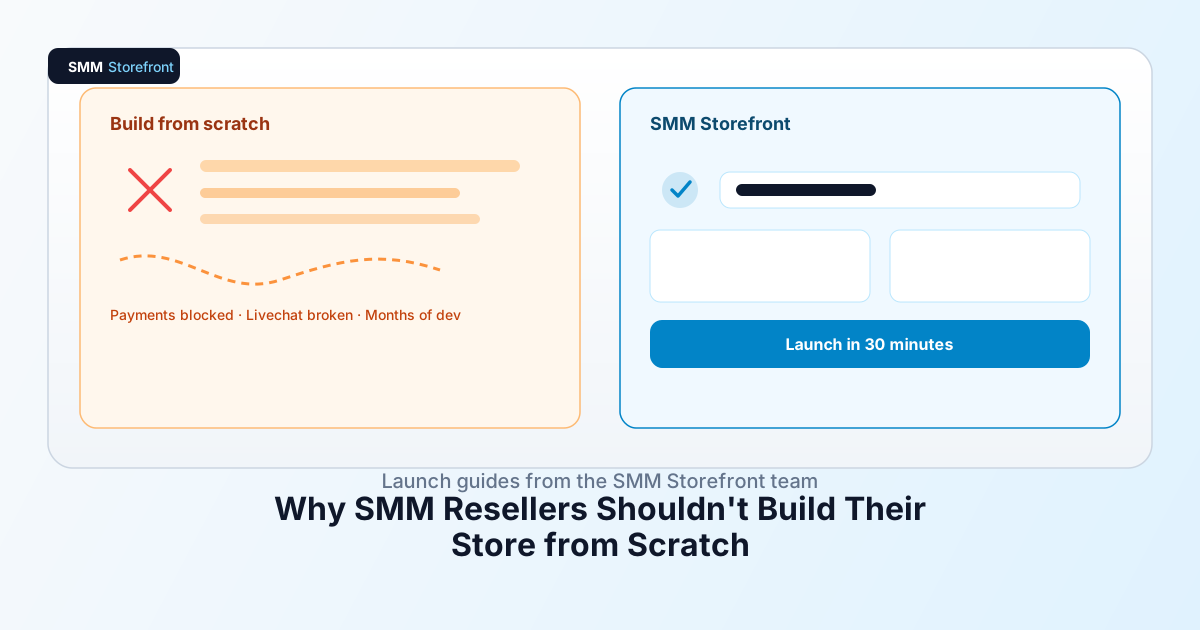
You picked the domain on a Tuesday. By Friday, Stripe had declined your merchant application, your developer said "maybe 14 weeks," and the livechat widget you installed stopped letting customers send screenshots — right when your first refund ticket came in.
That's not bad luck. That's the default SMM launch timeline when you build from scratch.
You don't have six months to wait
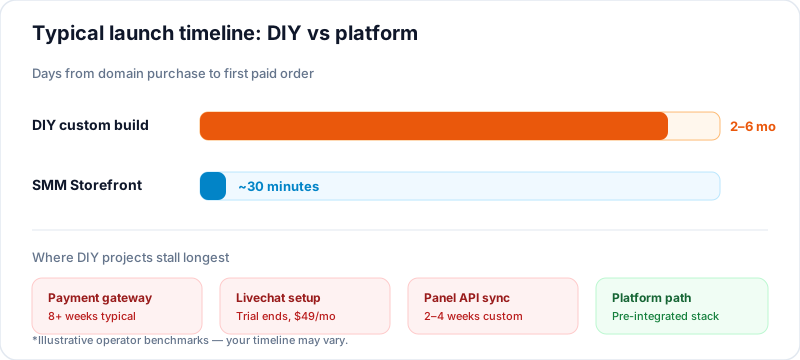
Reselling SMM services is a margin game. You already know the panel rates, the package tiers, the platforms buyers ask for first. What you don't have is six months to wire checkout, SEO, service pages, and fulfillment while competitors take your niche.
We've watched resellers spend $8,000–$15,000 on custom WordPress or Laravel builds — then stall for another 8 weeks because nobody thought about payment routing for high-risk merchant categories. The site looked fine. The business couldn't take money.
Opportunity cost hits harder than dev invoices. Every week without checkout is a week you're still sending buyers to someone else's panel link.
What a production-ready SMM storefront actually needs
Most "I'll hire a dev" plans cover a homepage and a service list. That's maybe 30% of what you need on day one.
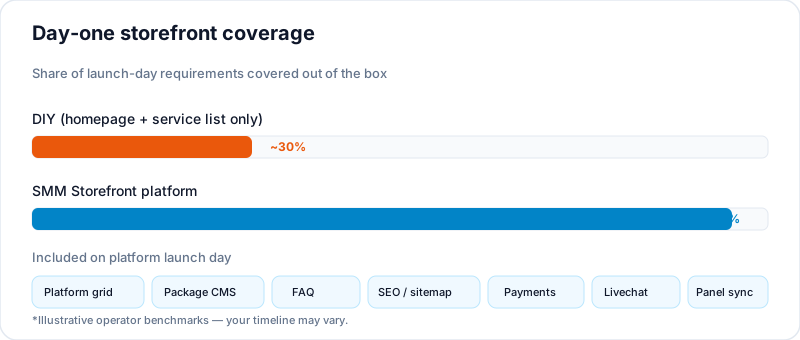
| Component | Why it matters on launch day |
|---|---|
| Platform grid (Instagram, TikTok, YouTube…) | Buyers navigate by platform — not by your internal SKU names |
| Category / service / package hierarchy | Tier pricing, upsells, clear order flow |
| FAQ block | Cuts repeat tickets; ranks for long-tail searches |
| Testimonials | Social proof for cold traffic |
| SEO: slugs, meta titles, sitemap | Organic discovery without re-dev every page |
| Responsive mobile layout | Most SMM orders happen on phone |
| PageSpeed tuning | Bounce rate + quality signal for Google |
| Card + crypto + mobile payments | Global buyers; SMM category blocks mainstream gateways |
| Livechat with image sharing | Refunds and partial orders need screenshots |
| Panel sync (PerfectPanel) | Orders auto-route — no manual copy-paste |
| Supplier sync (HstockPlus) | Digital products + SMM catalog in one admin |
Source: operator benchmarks from multi-tenant SMM storefront deployments.
With a custom build, each row is a separate dev ticket. With an operator-built platform, it's configuration.
Site structure that converts (not just displays services)
Buyers don't think in API service IDs. They think: Instagram → Followers → 1,000 pack.
A storefront that converts mirrors that path:
- Platform landing pages —
/instagram,/tiktok, not/services?cat=3 - Service pages with package tables, speed notes, and FAQ snippets
- Trust blocks — testimonials near checkout, not buried on an About page
- Internal links — platform → service → package, so Google crawls depth
We've run large-client SMM stores for years. The structure above isn't theory — it's the workflow baked into platforms like smmstorefront.com, where platform grids, CMS blocks, and package layouts ship pre-tested instead of invented from a Figma file.
SEO and performance without hiring an agency
You don't need a $3,000/mo retainer to get the basics right. You need clean URL slugs per platform and service, editable meta title and description per page, mobile-first layout, and lazy-loaded images with minimal render-blocking scripts.
PageSpeed 80+ on mobile is a reasonable platform target — not a guarantee on every tenant, but achievable when the theme is built for storefront speed, not blog aesthetics. DIY sites often score 40–60 on first launch and need another paid optimization pass.
Payment: the gate most startups never pass
Here's the part most guides skip: payment is the wall, not the website design.
Stripe and PayPal often restrict or reject SMM merchant categories. You can have a perfect catalog and zero checkout. Crypto-only DIY setups work for some buyers but kill conversion for card-first customers. Alipay and WeChat? Nearly impossible to assemble solo unless you already have regional payment relationships.
smmstorefront.com routes ecosystem clients through a partner approval path with Payeer — card, crypto, and popular mobile wallets in one stack, instead of a three-month integration project you fund before your first sale.
Payment gateway comparison for SMM merchants
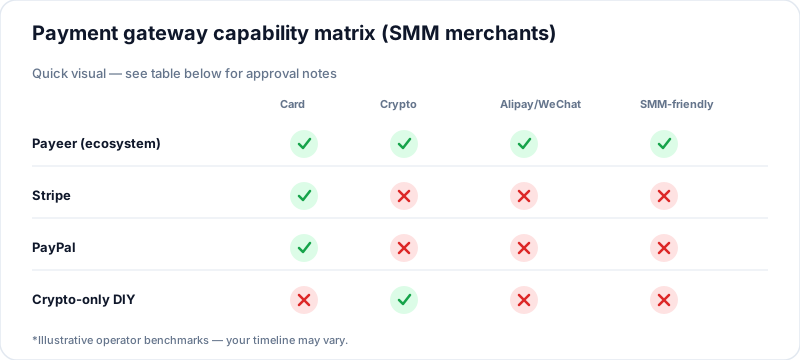
| Provider | SMM-friendly | Card | Crypto | Alipay / WeChat | Approval difficulty |
|---|---|---|---|---|---|
| Payeer (ecosystem partner) | Yes | Yes | Yes | Yes | Low for ecosystem clients |
| Stripe | Often restricted | Yes | Limited | No | High for SMM category |
| PayPal | Often restricted | Yes | No | No | High; holds common |
| Crypto-only DIY | Partial | No | Yes | No | Medium; weak checkout UX |
Illustrative comparison — verify current terms with each provider.
If you're comparing launch paths, run this table before you sign a dev contract. A beautiful site that can't process cards is a brochure.
Livechat: the support tool that breaks when you need it most
SMM support is screenshot-heavy. "My order dropped at 847" — the customer needs to send proof. Partial delivery disputes, wrong link format, refill requests: text-only chat doesn't cut it.
Most "free" livechat tools give you two weeks of full access. Then image sharing locks behind a paid tier — typically around $49/month on Chatway-style providers. You're either paying before revenue just to receive a PNG, or running support through Telegram DMs like it's 2014.
Worse: some providers review accounts when traffic spikes. Policy flags on SMM sites can mean suspension — and your entire customer contact history disappears with it. We've heard this story more than once from resellers who built traffic first and wired chat last.
Afflixo ships inside the storefront ecosystem plan: full livechat with image sharing included, and policy tolerance built for SMM operators — not a generic SaaS terms page written for B2B SaaS blogs.
Livechat comparison for SMM stores
| Provider | Free tier | Image sharing | Post-trial cost | SMM account risk at scale |
|---|---|---|---|---|
| Chatway-style providers | ~2 weeks full | Often blocked on free/low tier | ~$49/mo typical | Review / suspension possible |
| Afflixo (ecosystem) | Full features in plan | Yes | Included in plan | SMM-tolerant policy |
Illustrative comparison — verify current terms.
Image sharing isn't a nice-to-have. For SMM, it's how you close tickets without a 40-email thread.
Connecting supply without a backend developer
Even after checkout works, you're not done. Orders need to hit your panel. Digital products need inventory sync.
PerfectPanel — service IDs, pricing, status sync. Custom API work: usually 2–4 weeks plus ongoing breakage when the panel updates fields.
HstockPlus — digital account products and SMM listings imported with markup rules in a few clicks, instead of building a second catalog by hand.
One admin dashboard beats three tabs and a spreadsheet. That's the difference between operating a store and babysitting integrations.
DIY vs platform: the full picture
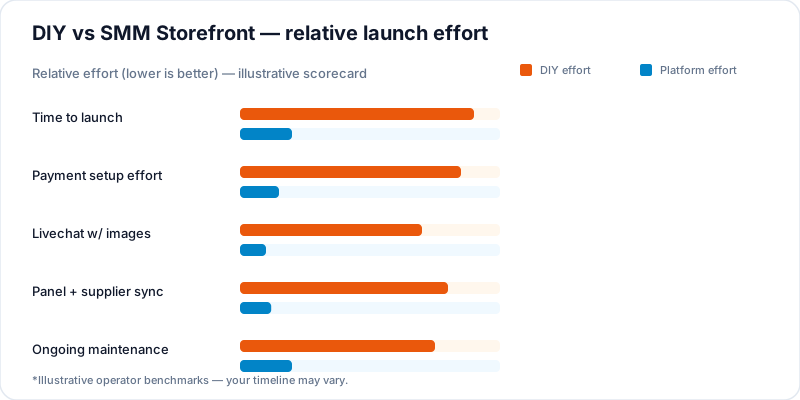
| Factor | DIY (hire developer) | SMM Storefront platform |
|---|---|---|
| Time to launch | 2–6+ months | ~30 minutes setup |
| Platform / service CMS | Custom build | Pre-built, operator-tested |
| FAQ / testimonials | Custom | Built-in patterns |
| SEO / PageSpeed | Depends on dev | Built-in SEO-friendly structure |
| Payment setup | Self-negotiate gateways | Payeer partner path |
| Livechat with images | Separate vendor (~$49/mo after trial typical) | Afflixo included |
| PerfectPanel integration | Custom API work | Integrated |
| HstockPlus integration | Custom API work | Few-click import |
| Ongoing maintenance | Dev retainer | Platform updates |
Timeline and pricing: operator benchmarks — your mileage may vary.
The DIY column isn't impossible. It's just expensive in time — and payment plus livechat are where DIY projects stall longest.
Who should use a platform vs build custom
Use a platform if you: want a store taking orders this week, not next quarter; need card + crypto + mobile payments without a compliance side quest; run support through chat with screenshots daily; sync PerfectPanel and add digital products from HstockPlus.
Build custom if you: have an in-house dev team on payroll already; need a non-standard product model no SMM CMS supports; already hold approved merchant accounts in your company's name.
Most first-time resellers aren't in the second group. They just think they are because WordPress feels familiar.
The ecosystem model (one paragraph, not four vendors)
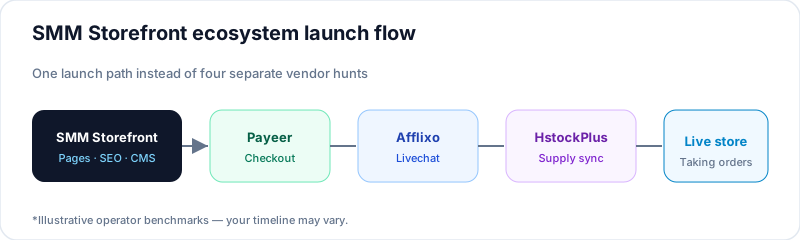
If you're launching an SMM business, payment, support, and supply usually mean four separate contracts. In this ecosystem, smmstorefront.com handles storefront structure and SEO-ready pages, Payeer covers checkout, Afflixo runs livechat (and affiliate when you're ready to scale referrals), and HstockPlus feeds digital and SMM product inventory — with PerfectPanel sync built in.
You're not buying four logins on day one. You're buying a launch path that doesn't stall at the payment form.
About the author

Marcus Reed
Head of Storefront Operations
Former SMM panel operator. Writes about launch timelines, payment routing, and what resellers need before day one.