
Guide d'administration TheFameNest : Ajouter une nouvelle plateforme, un service et une page en direct
1 juillet 2026

Marcus Reed
Responsable des opérations de vitrine
Mis à jour pour la nouvelle interface d'administration — configuration du catalogue (plateforme → service → forfaits), deux méthodes de liaison avec les fournisseurs, CMS/SEO/FAQ, éléments partiels du site, et captures d'écran du frontend correspondantes sur thefamenest.com.

Vous avez sélectionné un SKU de panel de niche qui n'existe pas encore dans votre catalogue — nouvelle plateforme, nouveau type de service, zéro package, aucune page de destination. La boutique en ligne ne peut pas vendre du vide. Ce guide vous accompagne dans le lancement complet d'un nouveau service sur un tenant en ligne : thefamenest.com.
Les captures d'écran utilisent la mise en page actuelle de l'Admin (2026). Votre domaine remplace thefamenest.com ; les routes restent /admin/….
Nouveau sur la plateforme ? Lisez d'abord pourquoi les revendeurs évitent les constructions sur mesure, puis reproduisez cette checklist sur votre tenant.
Connectez-vous et repérez-vous
Ouvrez https://votre-boutique.com/admin. Les propriétaires de tenant arrivent d'abord sur le tableau de bord marchand — cliquez sur Accéder à l'administration du site pour le domaine que vous modifiez.


Partie 1 — Construire le catalogue (nouvelle plateforme de bout en bout)
Pensez hiérarchie : Plateforme → Type de service → Service → Type de package / Catégorie → Package. Sautez une couche et le paiement plante.
1.1 Plateformes
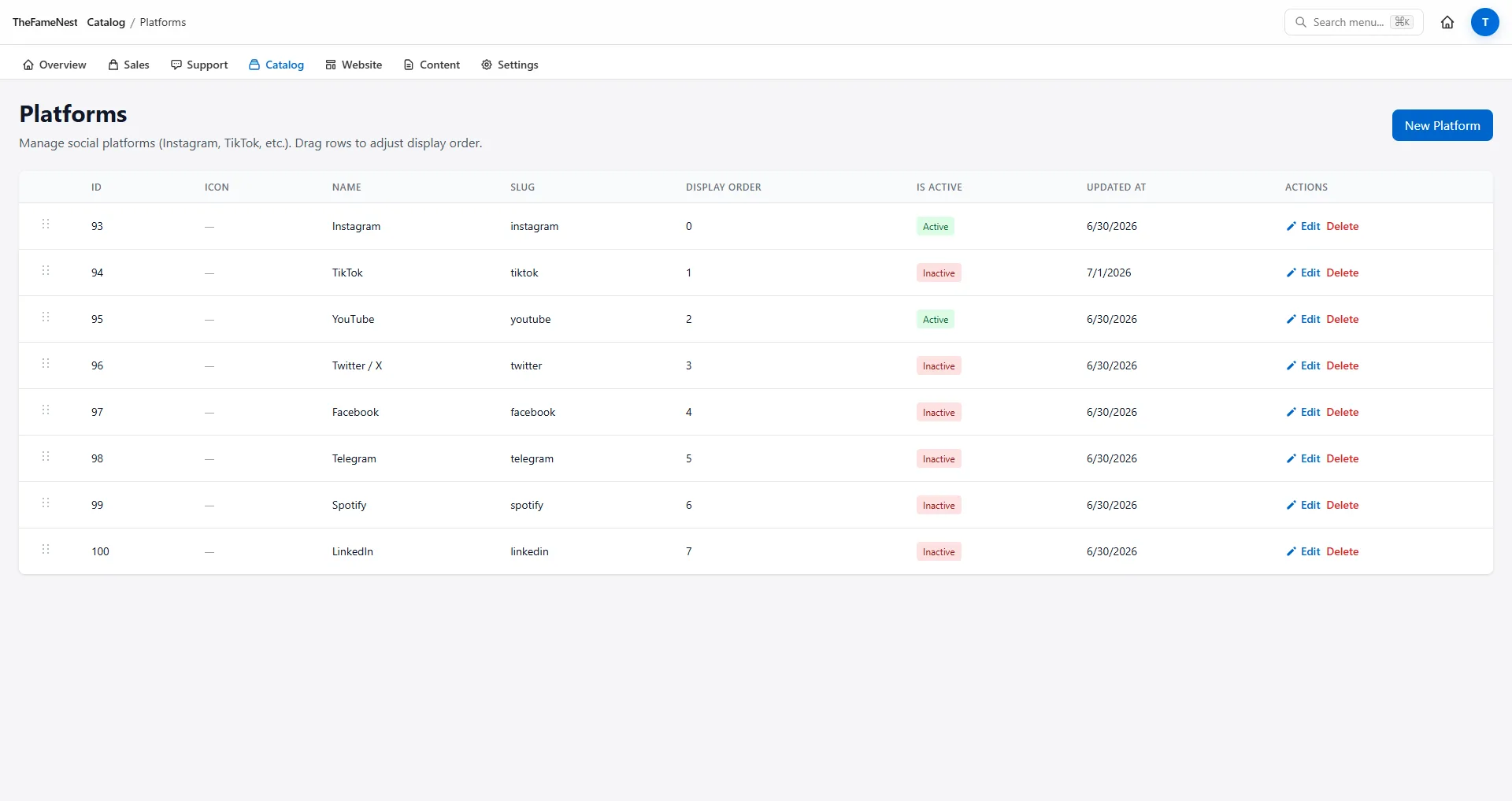
/admin/platforms — ajoutez une ligne lorsque vous vendez un réseau qui n'est pas encore dans le modèle (ex. Threads, Bluesky). Définissez le nom, le slug, l'icône, l'ordre d'affichage.
Effet sur la boutique : une fois enregistrée, la grille des plateformes de la page d'accueil la récupère automatiquement — aucune modification manuelle de la page d'accueil.
1.2 Types de service
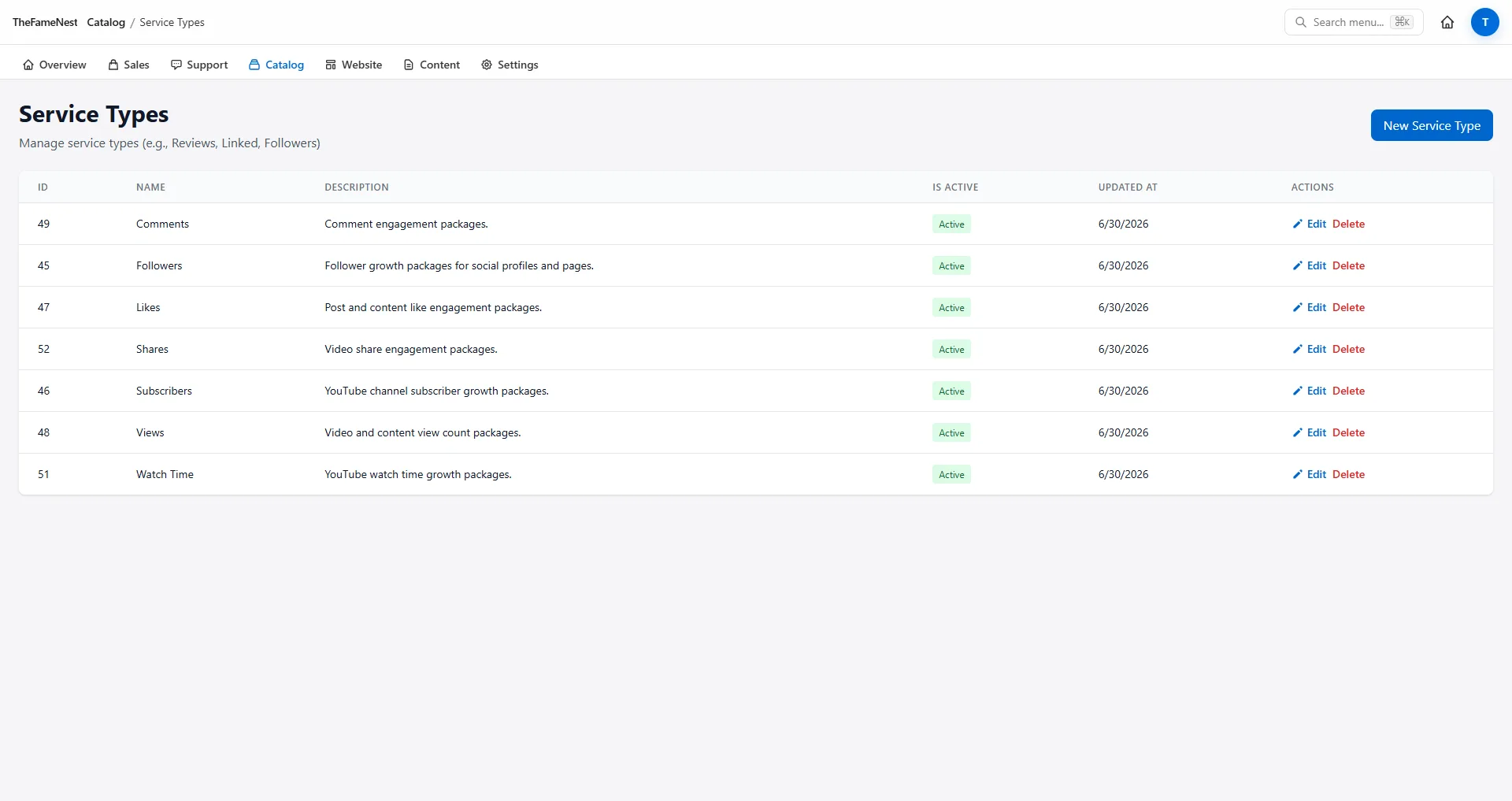
/admin/service-types — familles globales : Abonnés, J'aime, Vues, Commentaires. Un type peut être rattaché à plusieurs plateformes.
1.3 Services
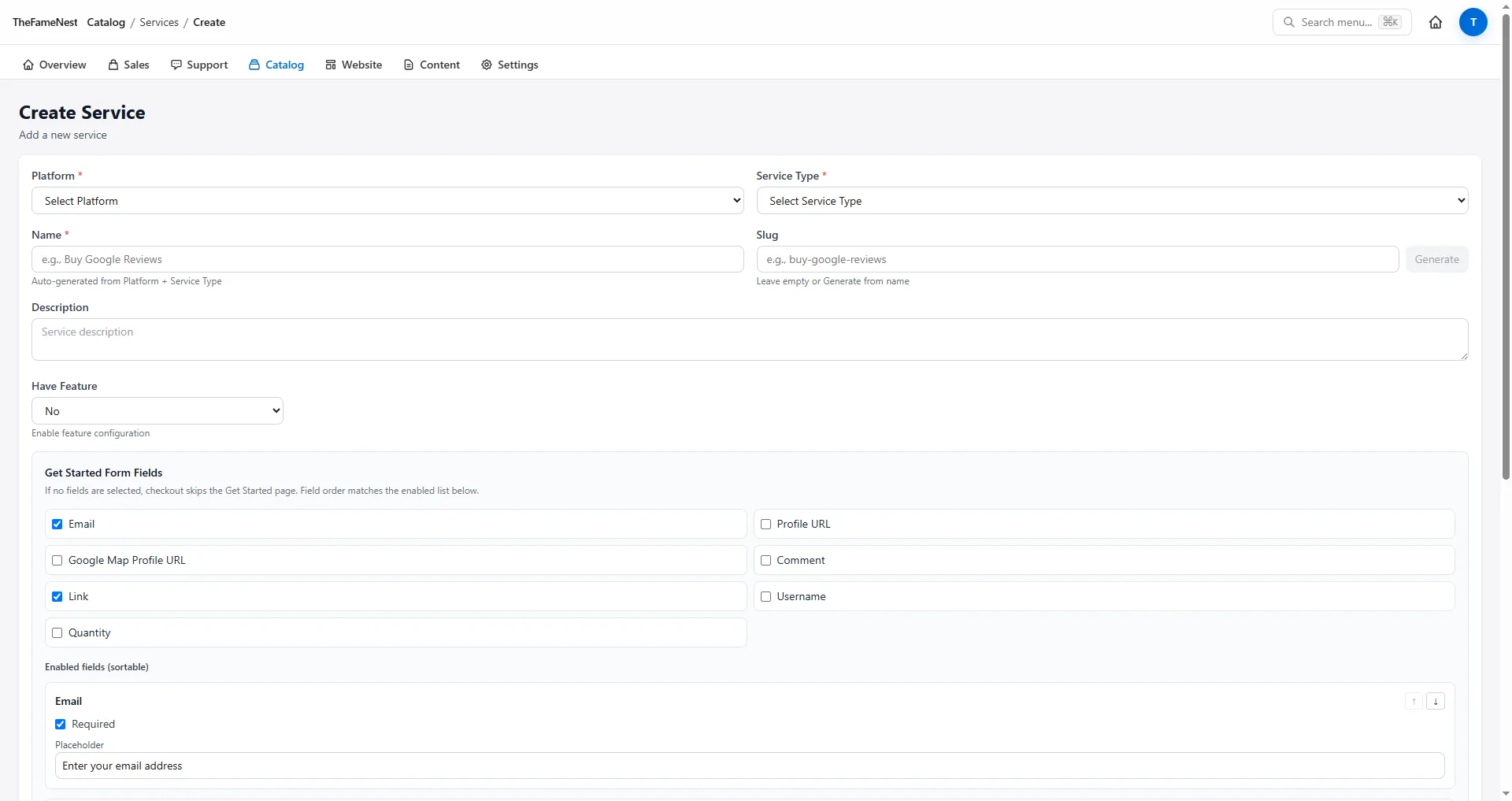
/admin/services — le SKU vendable : plateforme + type + votre slug et votre texte. /admin/services/create vous guide dans le formulaire.

1.4 Types de package et catégories
Avant la tarification, définissez les dimensions que les acheteurs reconnaissent :
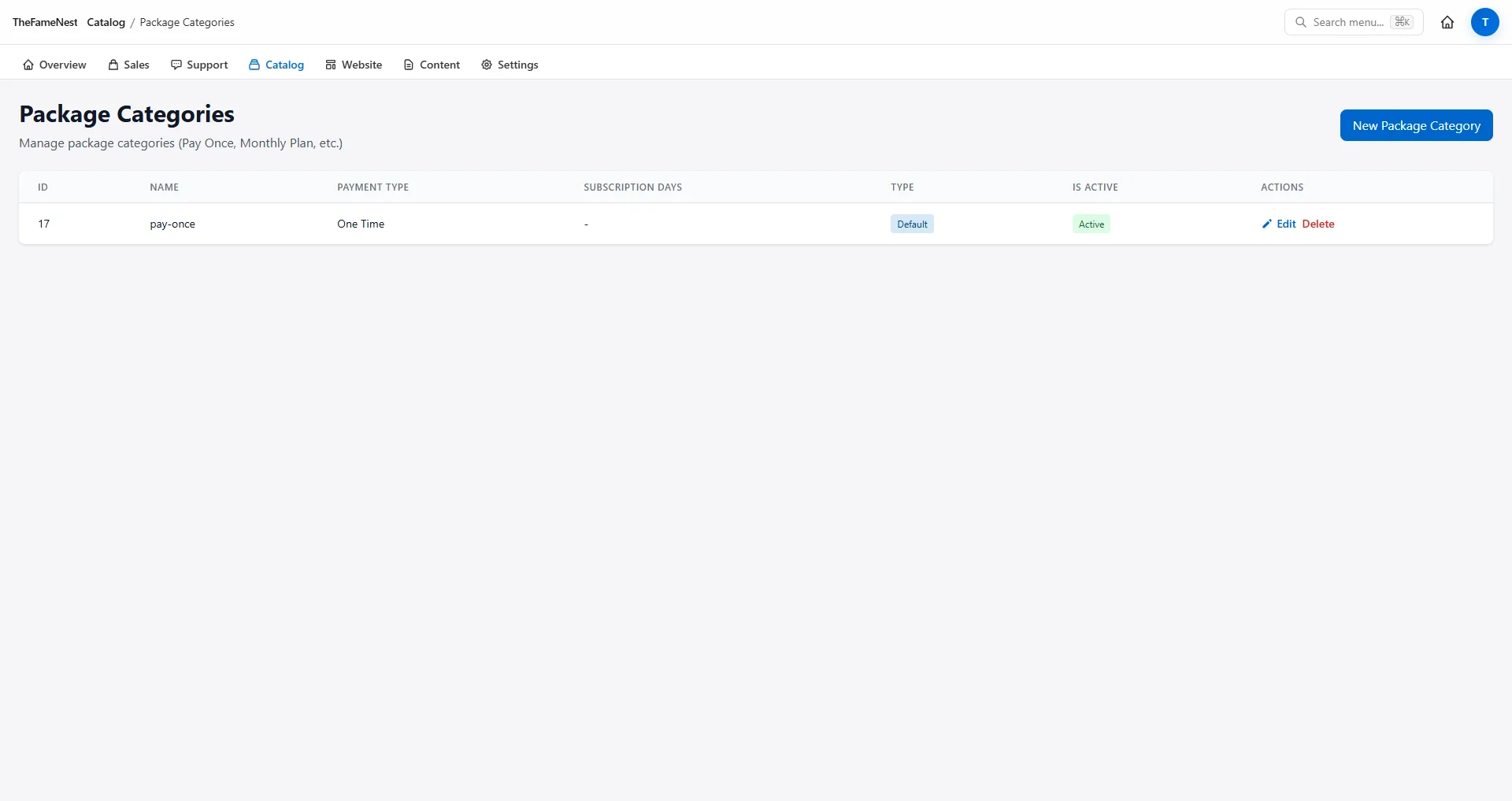
/admin/package-types— Haute Qualité, Actif, Premium (les valeurs par défaut du modèle existent ; ajoutez-en si vous divisez les niveaux)./admin/package-categories— Paiement Unique vs regroupements de type abonnement.

1.5 Packages
Ouvrez /admin/packages?service={id} à partir de la ligne du service. Créez des lignes individuelles ou utilisez Créer des packages par lot après la liaison avec le fournisseur (Partie 2).
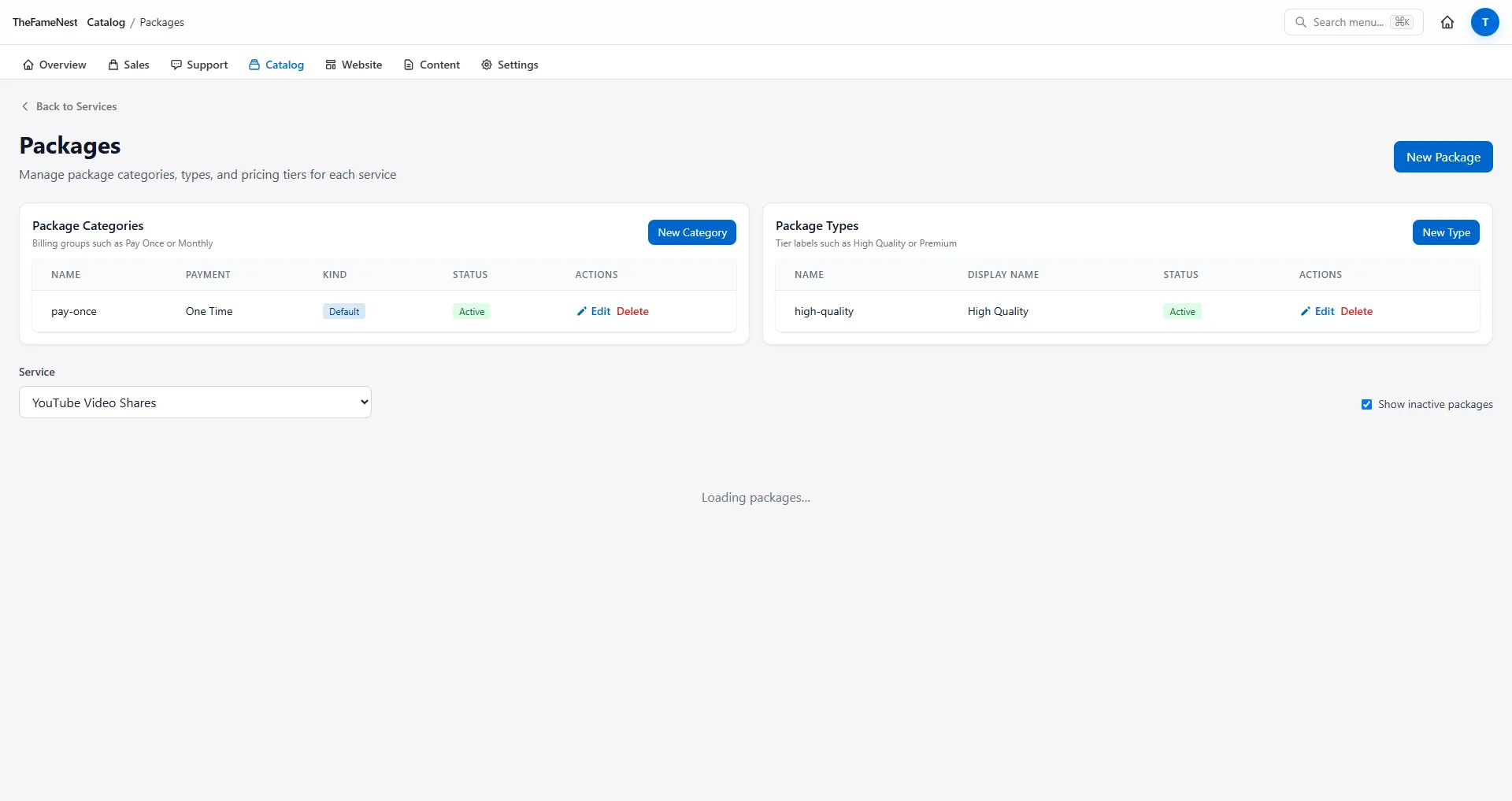

Partie 2 — Connecter l'exécution du fournisseur (deux chemins)
Les commandes SMM doivent être transmises à votre panel. Vous pouvez y arriver de deux manières — même état final, point de départ différent.
Chemin A — Importer depuis le fournisseur, puis ajuster le slug et le texte
- Ajoutez les identifiants du panel sous
/admin/supplier-providers. - Ouvrez le fournisseur → Importer → cochez les services distants → l'importation crée des services locaux avec les tarifs et les min/max.
- Modifiez chaque service importé : corrigez le slug, les champs SEO et le nom marketing — l'importation est de la logistique, pas du merchandising.


Chemin B — Créer d'abord le service, lier le fournisseur lors de la modification
- Créez le service manuellement (Partie 1.3).
- Sur
/admin/services/[id]/edit, ouvrez Exécution fournisseur → choisissez le fournisseur + le service distant. - Enregistrez — les commandes passées en caisse sont routées vers le panel après le paiement.

Comptes numériques : utilisez /admin/config → HstockPlus + /admin/services/import par URL de produit au lieu des fournisseurs SMM.
Partie 3 — Page de service : contenu, SEO, FAQ, témoignages
Chaque service a une page CMS (souvent créée automatiquement avec le modèle). Ouvrez /admin/pages → modifiez la ligne dont le slug correspond au service.
| Onglet | Que définir | Effet sur la boutique |
|---|---|---|
| De base | Slug, drapeau actif | URL en ligne ou 404 |
| SEO | Titre, méta-description, mots-clés, champs OG | Extrait Google + carte de partage social |
| Contenu | bodyHtml avec {{packages}}, {{faq}}, {{testimonials}} | Texte marketing + blocs de catalogue injectés |
| FAQ | Lignes question/réponse | Affiché dans le bloc FAQ + SEO longue traîne |
| Témoignages | Lignes de preuve sociale | Section de confiance sur la page de destination du service |
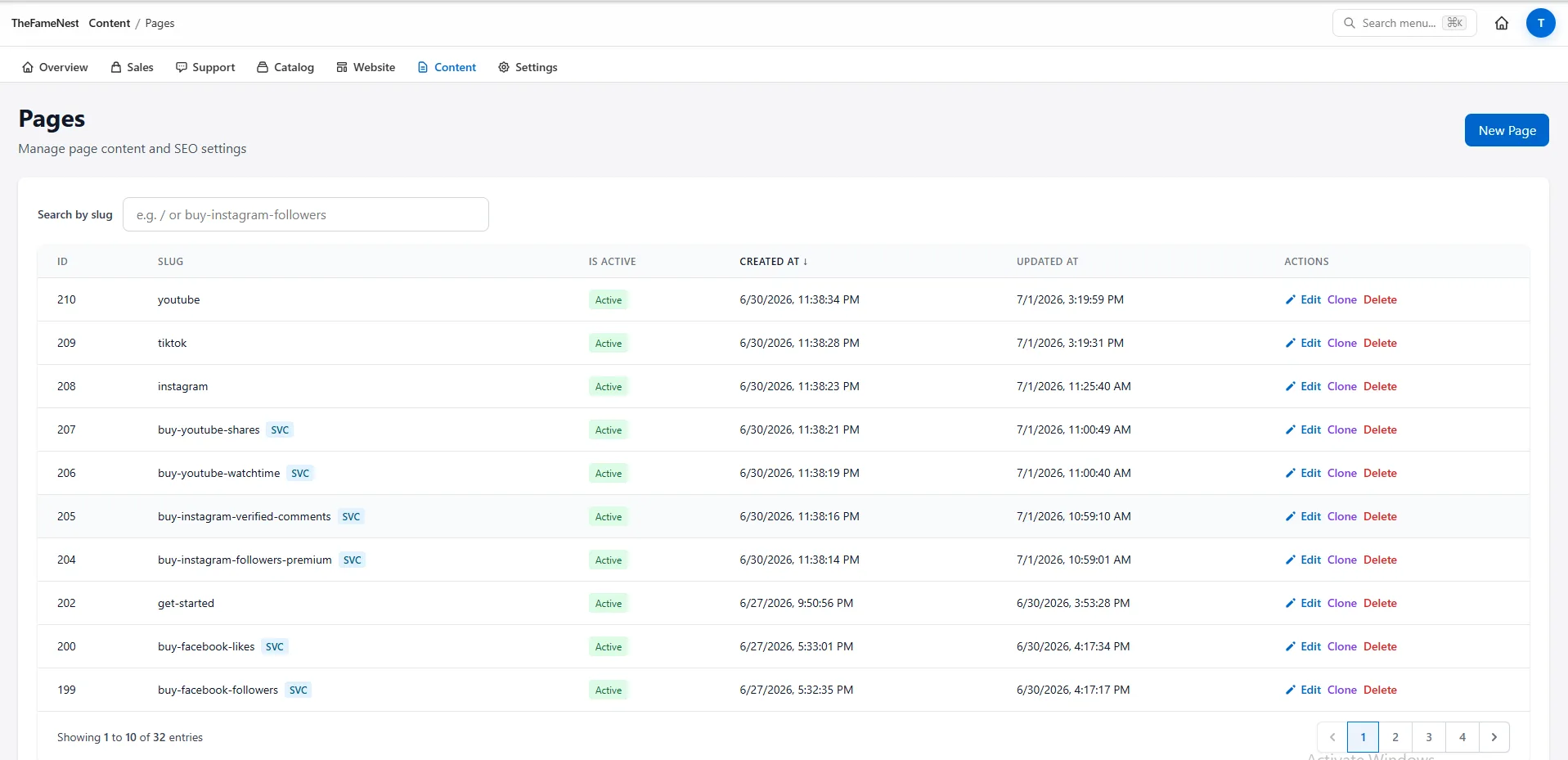
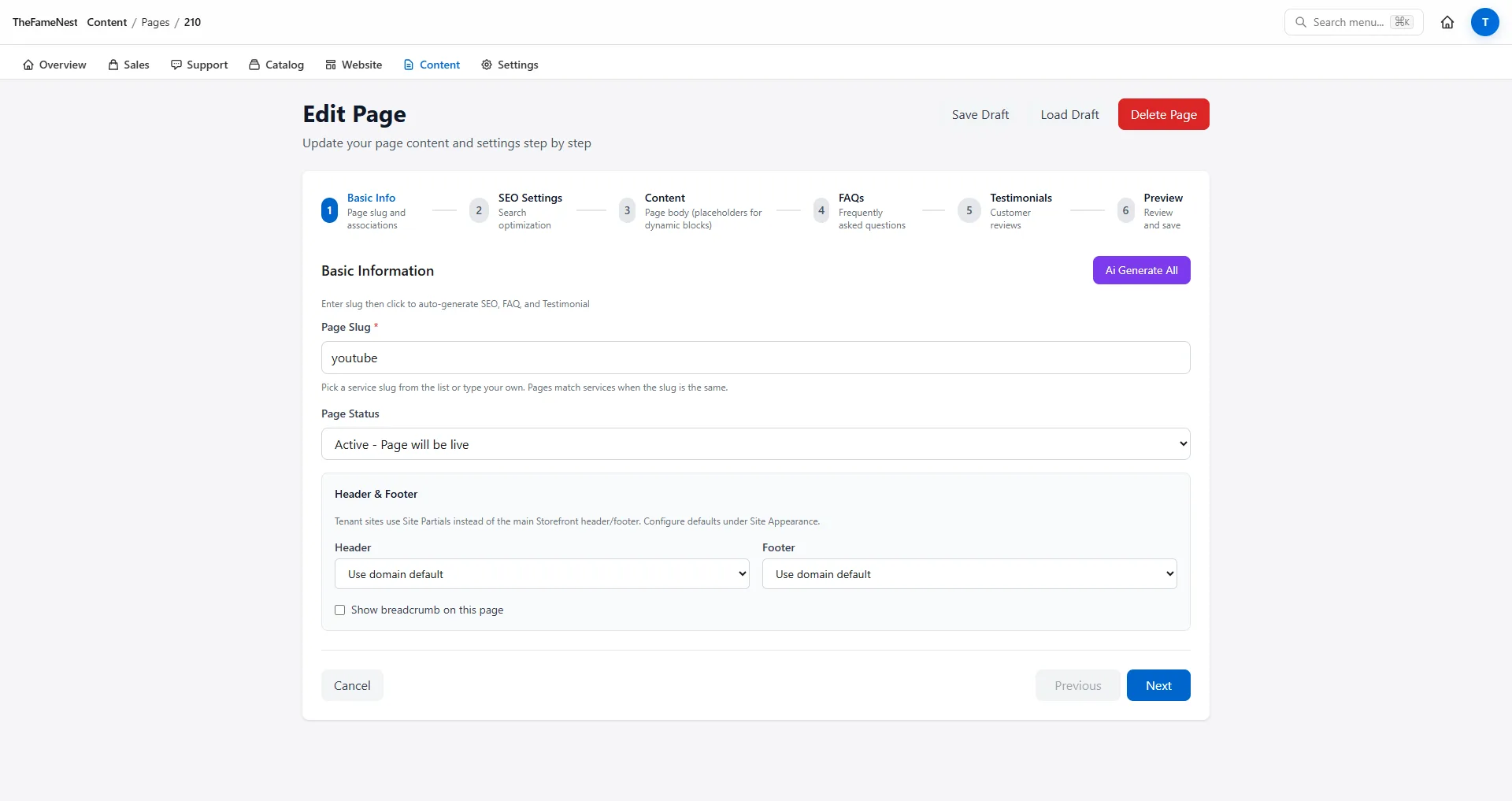
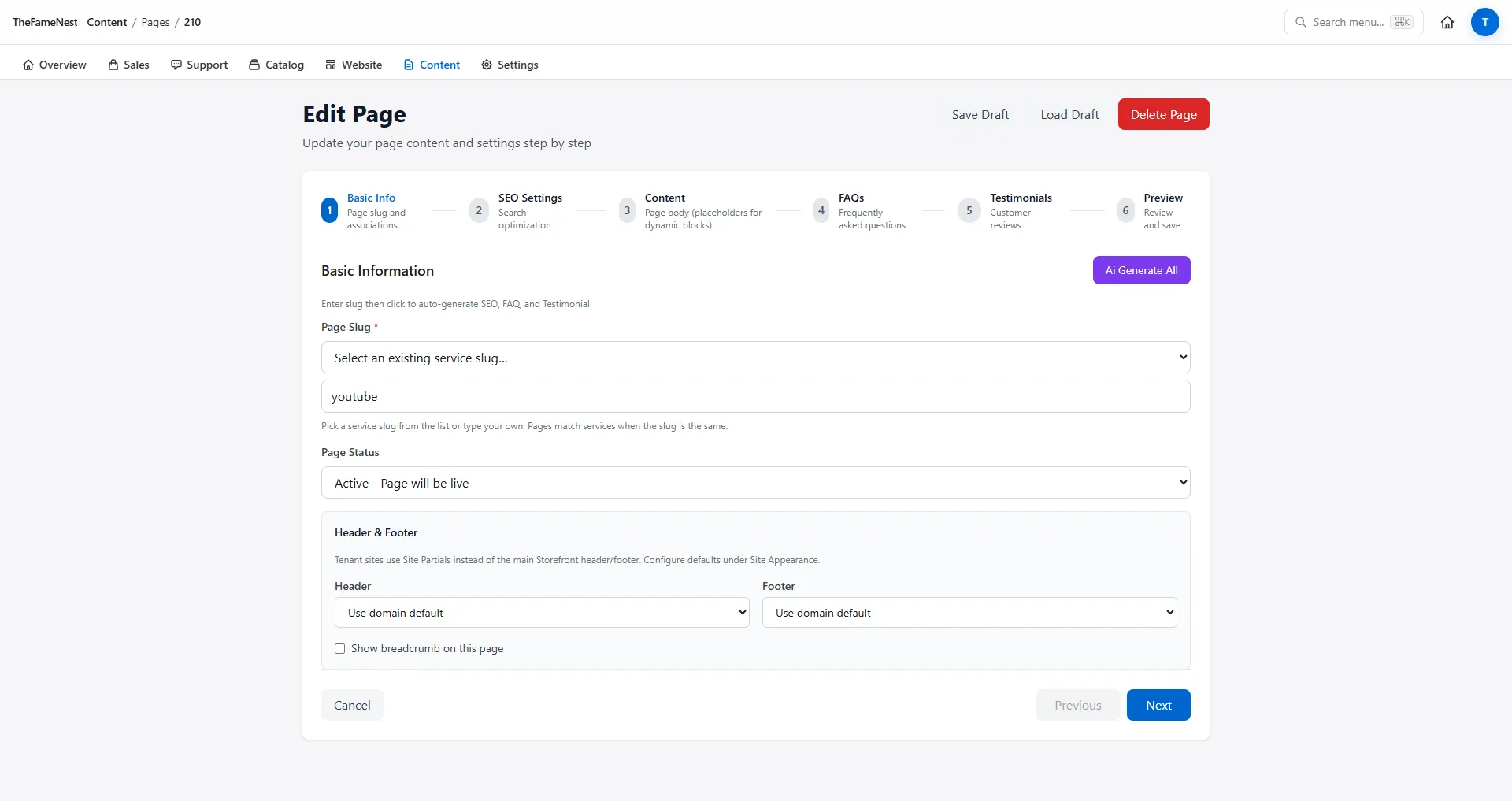

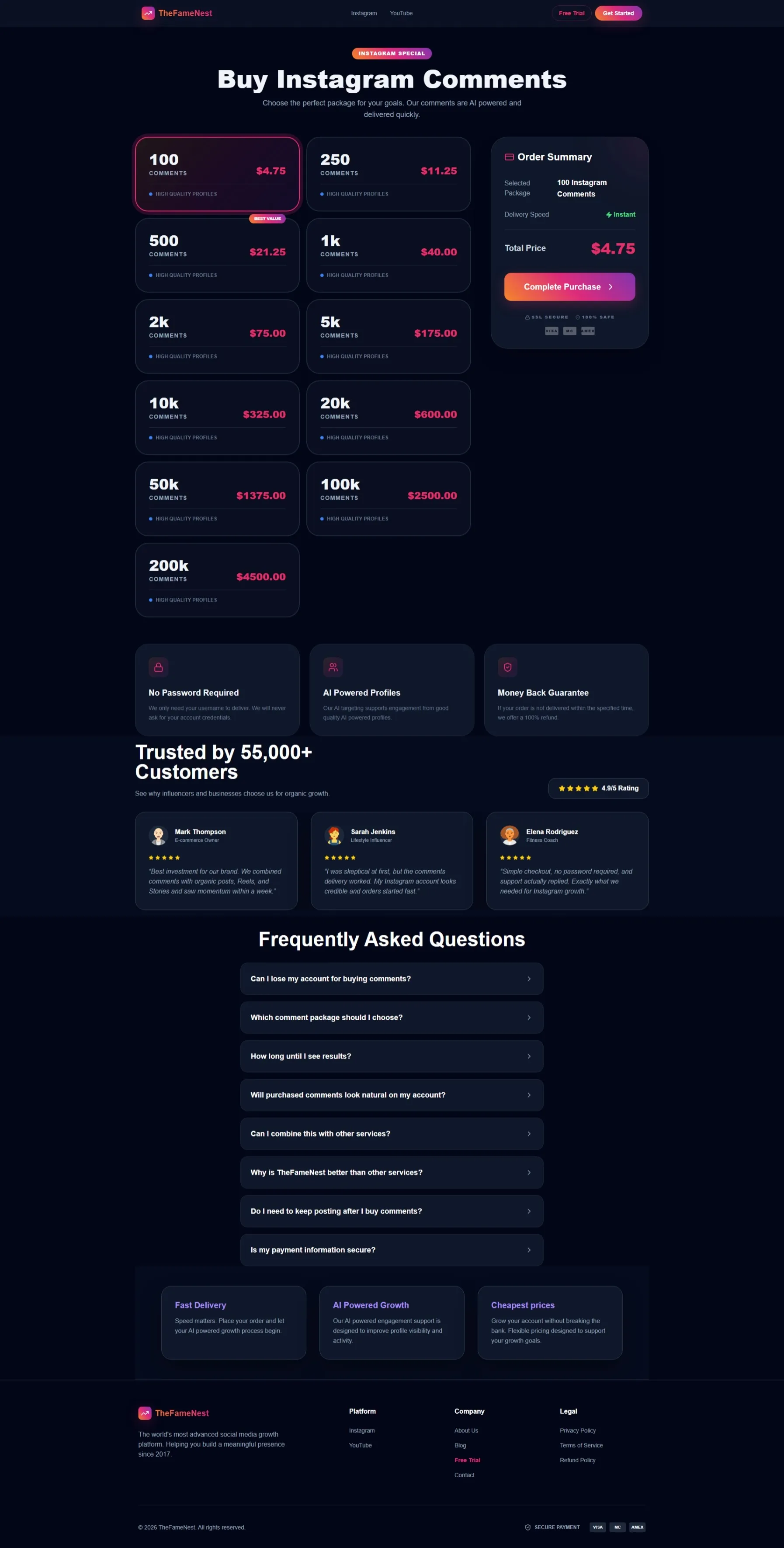
Lorsque les onglets De base + SEO + packages existent, ouvrez l'URL publique (ex. /acheter-abonnes-instagram). Les cartes de packages doivent s'afficher à partir des données du catalogue, pas d'un HTML codé en dur.
Partie 4 — En-tête et pied de page (séparés des pages de service)
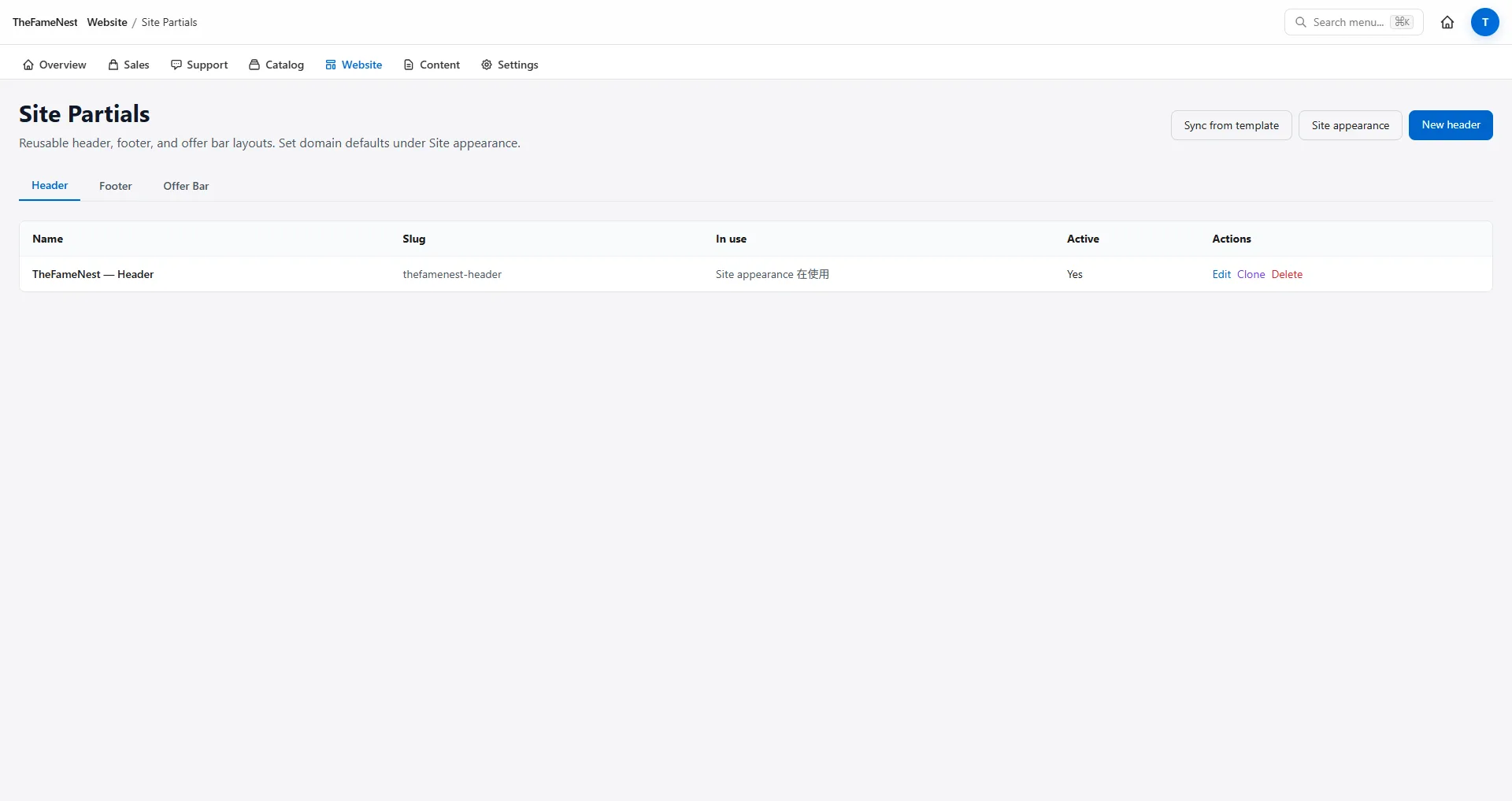
Le chrome du site ne se modifie pas dans l'assistant de page de service. Utilisez /admin/site-partials pour le HTML de l'en-tête, du pied de page et de la barre d'offre — global sur toutes les pages.
/admin/site-appearance contient toujours le logo, le favicon et les couleurs du thème. Modifiez le chrome ici lorsque vous changez de marque ; laissez le bodyHtml du service tranquille.

Vérifiez sur la boutique
Après la Partie 1.1 (plateforme), vérifiez la page d'accueil — la nouvelle vignette de plateforme devrait apparaître sans modification CMS de la page d'accueil.

Une fois les packages et les onglets de page enregistrés, accédez à l'URL du service dans une fenêtre privée. Vous devriez voir les paliers, la FAQ et le paiement — puis passez une commande test et surveillez /admin/orders.

Référence rapide — Routes Admin
| Tâche | Route |
|---|---|
| Plateformes | /admin/platforms |
| Types de service | /admin/service-types |
| Services | /admin/services, /admin/services/create |
| Types de package / catégories | /admin/package-types, /admin/package-categories |
| Packages | /admin/packages?service=… |
| Fournisseurs SMM | /admin/supplier-providers |
| CMS page de service | /admin/pages/[id]/edit |
| En-tête / pied de page | /admin/site-partials |
| Marque / logo | /admin/site-appearance |
| Commandes & revenus | /admin/orders, /admin/dashboard |
Note : plan de route illustratif pour l'Admin du tenant SMM Storefront.
Checklist de lancement (imprimez ceci)
- Plateforme (+ nouveau type de service optionnel)
- Ligne de service avec slug
- Importation fournisseur ou lien manuel lors de la modification
- Création par lot de packages (ou paliers manuels)
- SEO de la page + Contenu + FAQ (+ témoignages quand prêt)
- La page d'accueil affiche la vignette de la plateforme
- L'URL du service affiche les cartes de packages
- Commande test →
/admin/orders
Votre prochaine étape
Exécutez la checklist sur votre tenant. TheFameNest est une boutique de référence publique ; vos clés de panel et vos marges restent dans l'Admin uniquement.
Besoin d'abord du business case ? Lisez lancez un site de services SMM en quelques minutes ou commencez sur smmstorefront.com.
```À propos de l'auteur

Marcus Reed
Responsable des opérations de vitrine
Ancien opérateur de panel SMM. Écrit sur les délais de lancement, le routage des paiements et ce dont les revendeurs ont besoin avant le premier jour.